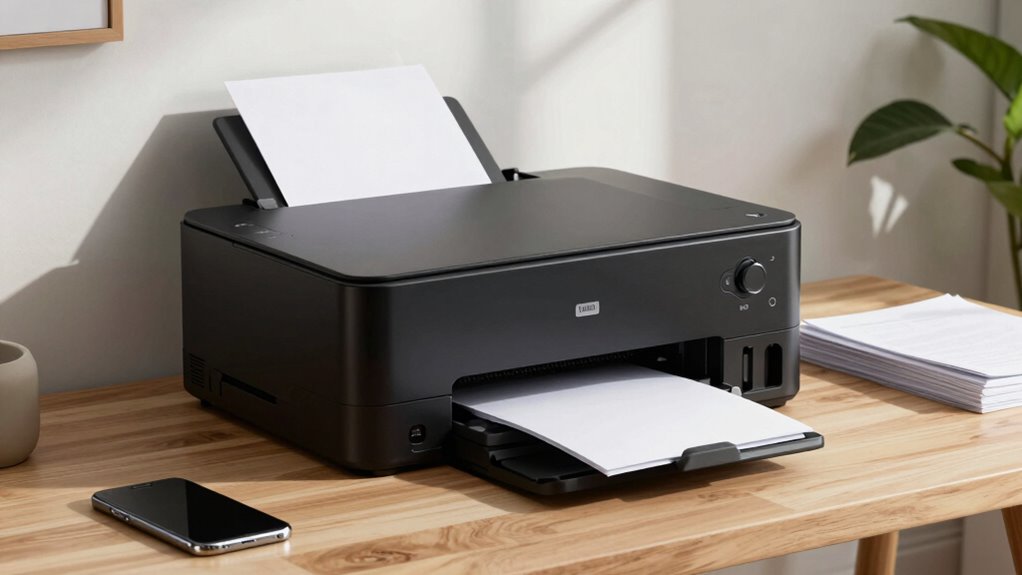

Choosing a premium printer for a home office involves balancing high-quality output, versatility, and ease of use. The Epson EcoTank ET-4800 stands out as the best overall choice for its combination of cost-effective ink and reliable performance. For those prioritizing fast, monochrome printing, the HP LaserJet Pro MFP 3101sdw offers impressive laser speed and clarity. Meanwhile, the Canon MAXIFY GX2020 provides a robust color printing experience with high-volume capacity. Each of these options targets different needs, but all face the tradeoff of higher upfront costs versus long-term savings and performance. Continue reading for a detailed breakdown of these top contenders and what makes each unique.

Get everyday essentials delivered free with Prime
- Fast, free delivery on millions of items
- Prime Video, Amazon Music and more included
- Member-only deals all year
Key Takeaways
- The best overall printers balance print quality, cost efficiency, and ease of setup, with the Epson EcoTank ET-4800 taking the lead.
- Laser printers like the HP LaserJet Pro excel in speed and monochrome document clarity, ideal for heavy-duty home office use.
- High-volume inkjet models such as the Canon MAXIFY GX2020 provide long-term savings but require a larger initial investment.
- Compact designs and additional features like duplex printing or faxing are often found in higher-tier models, but may add to the price.
- Choosing the right printer depends heavily on your specific needs—whether it’s color accuracy, speed, or volume capacity—since compromises are inevitable.
| Epson EcoTank ET-4800 Wireless Color All-in-One Supertank Printer |  | Best Overall for Eco-Conscious Home Offices | Printer Type: All-in-One | Connectivity: Wireless | Color: Color | VIEW ON AMAZON | See Our Full Breakdown |
| HP OfficeJet Pro 9125 Wireless All-in-One Color Inkjet Printer |  | Best for Fast, Secure Color Printing in Small Offices | Print Speed (Black): 22 ppm | Print Speed (Color): 18 ppm | Input Tray Capacity: 250 sheets | VIEW ON AMAZON | See Our Full Breakdown |
| Brother Work Smart 1360 Wireless Color Inkjet All-in-One Printer |  | Best Compact Choice for Small Home Offices | Print Speed: up to 16 ppm black, 9 ppm color | Automatic Duplex Printing: Yes | Automatic Document Feeder: 20 sheets | VIEW ON AMAZON | See Our Full Breakdown |
| HP LaserJet Pro MFP 3101sdw Wireless Black and White All-in-One Laser Printer |  | Best for Fast, Reliable Monochrome Printing for Small Teams | Print Speed: up to 35 ppm | Input Tray Capacity: 250 sheets | Auto Document Feeder: 50 sheets | VIEW ON AMAZON | See Our Full Breakdown |
| Canon MAXIFY GX2020 Wireless MegaTank All-in-One Color Printer Bundle |  | Best for High-Volume, Multi-Function Home Office Use | Model: GX2020 | Type: All-in-One Color Printer | Connectivity: Wireless, Ethernet, USB | VIEW ON AMAZON | See Our Full Breakdown |
| Canon PIXMA TR4720 All-in-One Wireless Printer, Home Use with Auto Document Feeder, Mobile Printing and Built-in Fax |  | Best Overall for Versatile Home Use | Print Speed: Approx. 8.8 ipm (black), 4.4 ipm (color) | Borderless Photo: Approx. 65 seconds for 4×6 | Paper Capacity: 100 sheets | VIEW ON AMAZON | See Our Full Breakdown |
| Brother MFC-L8930CDW Business Color Laser All-in-One Printer |  | Best for Small Business and High-Volume Use | Print Speed: Up to 33 ppm | Scan Speed: Up to 104 ipm | Auto Document Feeder: 80 pages | VIEW ON AMAZON | See Our Full Breakdown |
| HP OfficeJet Pro 8125 Wireless All-in-One Color Inkjet Printer |  | Best for Fast, Color-Rich Home Office Printing | Print Speed: Up to 20 ppm black, 10 ppm color | Input Tray Capacity: 225 sheets | Touchscreen: 2.7-inch color | VIEW ON AMAZON | See Our Full Breakdown |
| Canon PIXMA TR7120 Wireless Color Inkjet Printer, Duplex Printing, White |  | Best for Creative and Compact Home Use | Printer Type: All-In-One Inkjet | Color: Color | Connectivity: Wi-Fi (dual-band 2.4GHz/5GHz) | VIEW ON AMAZON | See Our Full Breakdown |
| Epson Expression Premium XP-7100 Wireless Color All-in-One Inkjet Printer |  | Best for Creative Projects and Media Flexibility | Printer Type: All-In-One Inkjet | Connectivity: Wireless, Ethernet, Wi-Fi Direct | Auto Document Feeder: 30 pages | VIEW ON AMAZON | See Our Full Breakdown |
| premium printers for home office | Connectivity | Print Speed |
|---|---|---|
| Epson EcoTank ET-4800 Wireless | Wireless | — |
| HP OfficeJet Pro 9125 Wireless | Wireless, dual-band Wi-Fi | — |
| Brother Work Smart 1360 Wirele | Wireless, USB, Wi-Fi Direct, AirPrint®, Mopria® | up to 16 ppm black, 9 ppm color |
| HP LaserJet Pro MFP 3101sdw Wi | Wireless Wi-Fi | up to 35 ppm |
| Canon MAXIFY GX2020 Wireless M | Wireless, Ethernet, USB | — |
| Canon PIXMA TR4720 All-in-One | Wireless, Alexa compatible | Approx. 8.8 ipm (black), 4.4 ipm (color) |
| Brother MFC-L8930CDW Business | Wireless (dual-band), Ethernet | Up to 33 ppm |
| HP OfficeJet Pro 8125 Wireless | Dual-band Wi-Fi, HP App | Up to 20 ppm black, 10 ppm color |
| Canon PIXMA TR7120 Wireless Co | Wi-Fi (dual-band 2.4GHz/5GHz) | — |
| Epson Expression Premium XP-71 | Wireless, Ethernet, Wi-Fi Direct | — |
More Details on Our Top Picks
Epson EcoTank ET-4800 Wireless Color All-in-One Supertank Printer
The Epson EcoTank ET-4800 excels in delivering cost-effective, high-volume printing thanks to its innovative EcoTank system, which eliminates cartridge costs and reduces waste. Compared with the Canon MAXIFY GX2020, it offers a more straightforward refill process and sharper text quality, making it ideal for users prioritizing long-term savings. However, the initial investment is higher, and setup can be tricky for those unfamiliar with wireless configurations. Its all-in-one functionality, including scanning and copying, makes it versatile for home professionals who handle frequent document tasks. The high-capacity ink tanks are perfect for busy households, but careful handling during refills is necessary to prevent spills.Pros:- Cost-effective with high-capacity EcoTank ink system
- Produces sharp text and vibrant color images
- Reduces environmental waste with cartridge-free design
- Includes built-in scanner and copier
Cons:- Initial purchase price may be higher
- Refilling ink bottles requires careful handling
- Wireless setup can be complex for some users
Best for: Eco-conscious users who need high-volume, low-cost color printing for frequent document work.
Not ideal for: Users seeking a budget-friendly starter printer or those uncomfortable with refilling ink bottles frequently.
- Printer Type:All-in-One
- Connectivity:Wireless
- Color:Color
- Technology:Micro Piezo Heat-Free
- Features:Scanner, Copier
- Ink System:EcoTank, Cartridge-Free
- Additional:High-resolution flatbed scanner, Color display
Our verdict“This printer is best suited for environmentally conscious users needing high-volume, economical color printing with versatile document handling.”
HP OfficeJet Pro 9125 Wireless All-in-One Color Inkjet Printer
The HP OfficeJet Pro 9125 stands out for its rapid color print speeds and robust security features, making it ideal for small business or home office environments where efficiency and data protection matter. Unlike the Brother Work Smart 1360, it offers a more intuitive touchscreen and superior security options, but it relies heavily on HP’s proprietary cartridges, which can be costly over time. Its wireless connectivity and auto duplex functions streamline daily tasks, though the price of replacement cartridges and firmware updates that limit third-party compatibility are notable trade-offs. This model works best for professionals needing reliable, high-quality color output without sacrificing speed or security.Pros:- Fast color printing and scanning
- Wireless printing with mobile app support
- Auto duplex printing and scanning
- Secure and sustainable design
Cons:- Requires original HP cartridges with chips
- Firmware updates may limit third-party cartridges
- Price not specified
Best for: Small business owners or home professionals needing fast, secure color printing with easy wireless management.
Not ideal for: Cost-conscious users seeking a budget-friendly printer who are okay with third-party ink options or minimal security features.
- Print Speed (Black):22 ppm
- Print Speed (Color):18 ppm
- Input Tray Capacity:250 sheets
- Touchscreen Size:2.7 inches
- Connectivity:Wireless, dual-band Wi-Fi
- Security:HP Wolf Pro Security
Our verdict“This printer offers high-speed, secure color printing tailored for small offices that prioritize efficiency and data protection.”
Brother Work Smart 1360 Wireless Color Inkjet All-in-One Printer
The Brother Work Smart 1360 offers a compact design that fits easily into small spaces, without sacrificing essential features like automatic duplex printing and cloud connectivity. Compared with the HP OfficeJet 9125, it provides a straightforward setup and versatile mobile printing options, although its slower print speeds and smaller display limit productivity for larger workloads. Its affordability and space-saving form make it well-suited for users with limited room or those new to home office printing, but the small display and reliance on compatible ink cartridges require some extra attention during setup and maintenance.Pros:- Compact and space-saving design
- Versatile connectivity options including cloud and mobile printing
- Fast print speeds with automatic duplex printing
- Easy setup with mobile app integration
Cons:- Limited to home and small office use
- Requires compatible ink cartridges for optimal performance
- Small display size may limit navigation
Best for: Home users or small business owners with limited space needing reliable, multifunction printing on a budget.
Not ideal for: High-volume or fast-paced environments where speed and large displays are priorities.
- Print Speed:up to 16 ppm black, 9 ppm color
- Automatic Duplex Printing:Yes
- Automatic Document Feeder:20 sheets
- Paper Tray Capacity:150 sheets
- Display:1.8″ color display
- Connectivity:Wireless, USB, Wi-Fi Direct, AirPrint®, Mopria®
Our verdict“Ideal for small home offices needing a reliable, space-efficient printer with versatile mobile and cloud features.”
HP LaserJet Pro MFP 3101sdw Wireless Black and White All-in-One Laser Printer
The HP LaserJet Pro 3101sdw is tailored for small teams that need quick, professional black-and-white output. It surpasses the Brother 1360 in speed, with up to 35 ppm, and offers reliable automatic duplex printing for efficient workflow. Its straightforward wireless setup and 50-sheet automatic document feeder make it a practical choice for busy environments. However, the reliance on HP-specific cartridges and its monochrome focus limit versatility, especially for users needing color or multimedia handling. This printer is best suited for offices prioritizing print speed and document quality over color features.Pros:- Fast printing speeds suitable for small teams
- Automatic duplex printing saves time and paper
- Reliable wireless connectivity for easy printing
- High input tray capacity for busy workflows
Cons:- Requires cartridges with HP chips or circuitry
- Primarily designed for black-and-white printing
- Limited to monochrome functions
Best for: Small teams or home office users requiring fast, monochrome document printing and scanning.
Not ideal for: Users who need color printing or multifunctionality beyond basic scanning and copying.
- Print Speed:up to 35 ppm
- Input Tray Capacity:250 sheets
- Auto Document Feeder:50 sheets
- Connectivity:Wireless Wi-Fi
- Functions:Print, Scan, Copy
- Duplex Printing:Auto 2-sided
Our verdict“This laser printer is best for small teams needing rapid, reliable monochrome printing with minimal fuss.”
Canon MAXIFY GX2020 Wireless MegaTank All-in-One Color Printer Bundle
The Canon MAXIFY GX2020 stands out for its high-capacity MegaTank ink system, supporting thousands of pages per refill, making it a strong choice for heavy home office use. Compared with the Epson EcoTank ET-4800, it offers similar cost savings but with a more compact footprint and added faxing capabilities. Although the initial setup can be complex, the ability to print, copy, scan, and fax in a single device makes it highly versatile. The bulk ink tanks require monitoring and periodic refilling, but they significantly lower ongoing costs for frequent printing needs. This model is ideal for small businesses or home offices with large printing demands.Pros:- High-volume MegaTank ink system reduces costs and downtime
- All-in-one functionality with wireless and wired connectivity
- Compact design suitable for small spaces
- Supports printing, copying, scanning, and faxing
Cons:- Initial setup may be complex for some users
- Bulk ink tanks require monitoring and refilling
- May be more expensive upfront compared to standard printers
Best for: Home offices or small businesses that need high-volume, multi-function printing with cost efficiency.
Not ideal for: Casual users who print infrequently or prefer simpler, plug-and-play setups.
- Model:GX2020
- Type:All-in-One Color Printer
- Connectivity:Wireless, Ethernet, USB
- Features:Printing, Copying, Scanning, Faxing
- Ink System:MegaTank high-volume
- Included Accessories:Cleaning Kit, Printer Cable, Ethernet Cable
Our verdict“This printer is best for users with high-volume printing needs seeking a durable, multi-function device with low running costs.”
Canon PIXMA TR4720 All-in-One Wireless Printer, Home Use with Auto Document Feeder, Mobile Printing and Built-in Fax
This model stands out for combining multiple functions into a compact, user-friendly package, making it ideal for those who need a versatile device for printing, copying, scanning, and faxing without sacrificing quality. Compared with the Canon PIXMA TR7120, the TR4720 offers similar high-quality output but adds features like an auto document feeder and built-in fax, which are beneficial for light office tasks. However, its slower print speed—around 8.8 ppm—can be a bottleneck for higher-volume use. Its wireless and smart home integration make it convenient, but reliance on internet connectivity limits its effectiveness if Wi-Fi is unstable. Best for light home offices or families needing multi-functionality, but not for busy workspaces with high print volumes.
Pros:- Versatile 4-in-1 functionality including fax
- Auto document feeder and duplex printing
- Wireless connectivity with smart home compatibility
Cons:- Print speed may be too slow for frequent high-volume tasks
- Limited to light home or casual office use
Best for: Home users who need a multifunction device for occasional printing, copying, and faxing
Not ideal for: High-volume offices or users needing fast print speeds and large-scale document processing
- Print Speed:Approx. 8.8 ipm (black), 4.4 ipm (color)
- Borderless Photo:Approx. 65 seconds for 4×6
- Paper Capacity:100 sheets
- Energy Consumption:7W (active), 0.8W (standby), 0.3W (off)
- Connectivity:Wireless, Alexa compatible
- Warranty:1 year limited
Our verdict“This printer suits households and small home offices that value versatility and smart features over speed.”
Brother MFC-L8930CDW Business Color Laser All-in-One Printer
This compact color laser model is designed for demanding environments, offering rapid printing and scanning with high-quality output. Unlike the inkjet-based Canon PIXMA TR7120 or Epson XP-7100, the Brother MFC-L8930CDW provides laser speed—up to 33 ppm—and robust security features, making it a stronger choice for small businesses or busy home offices that handle frequent, large print jobs. Its 80-page auto document feeder and 7-inch touchscreen simplify workflow, but the upfront cost is higher, and despite a smaller footprint, it still occupies significant space. Compared to the HP OfficeJet Pro 8125’s inkjet flexibility, this laser printer excels in speed and durability, but may be overkill for casual users. Best suited for small business owners or heavy home office users needing reliable, high-volume printing.
Pros:- Fast print and scan speeds
- High-quality color output
- Advanced security with NFC and triple layer protection
- High-yield toner cartridges for cost efficiency
Cons:- Higher initial investment
- Large footprint despite being smaller than previous models
Best for: Small business owners or professionals needing fast, high-quality color printing with security features
Not ideal for: Casual home users who prioritize low purchase cost and infrequent printing
- Print Speed:Up to 33 ppm
- Scan Speed:Up to 104 ipm
- Auto Document Feeder:80 pages
- Touchscreen:7-inch color
- Connectivity:Wireless (dual-band), Ethernet
- Security:Triple Layer Security, NFC card reader
Our verdict“This laser all-in-one is ideal for small offices or busy home setups where speed, security, and durability are priorities.”
HP OfficeJet Pro 8125 Wireless All-in-One Color Inkjet Printer
The HP OfficeJet Pro 8125 makes a compelling case for users who need vibrant color output combined with ease of use. Its fast printing speeds—up to 20 ppm black and 10 ppm color—outperform many inkjet rivals like the Canon PIXMA TR7120, especially for color documents and photos. The 2.7-inch touchscreen simplifies operation, and the inclusion of a 3-month Instant Ink trial can reduce ongoing costs. However, it relies on specific HP cartridges with embedded chips, which can complicate third-party refilling and increase costs over time. Unlike laser models, this inkjet isn’t suited for high-volume printing, but it offers better photo quality and more intuitive mobile features. Best for creative professionals or small teams prioritizing color quality and ease of use.
Pros:- Fast color printing
- User-friendly touchscreen and app support
- Includes 3-month Instant Ink trial
Cons:- Requires specific HP cartridges with chips
- Firmware updates may restrict third-party ink use
Best for: Home office users who need quick, colorful prints and straightforward mobile integration
Not ideal for: Heavy-duty environments with high-volume printing needs or users seeking lower ongoing ink costs
- Print Speed:Up to 20 ppm black, 10 ppm color
- Input Tray Capacity:225 sheets
- Touchscreen:2.7-inch color
- Connectivity:Dual-band Wi-Fi, HP App
- Security:HP Wolf Essential Security
- Recycled Content:45% recycled plastic
Our verdict“This inkjet is a strong choice for vibrant, quick color prints in a home setting, especially for creative tasks.”
Canon PIXMA TR7120 Wireless Color Inkjet Printer, Duplex Printing, White
The PIXMA TR7120 stands out for its combination of quality and convenience, making it ideal for users who need to print both professional documents and vibrant photos. Its compact size and 1.42″ OLED display make it accessible for small spaces and casual users. Compared with the Canon TR4720, the TR7120 offers a more premium design and better photo quality, but it still faces limitations for heavy workloads, such as slower print speeds and smaller ink cartridges. Its duplex printing and auto document feeder streamline everyday tasks, but the small OLED screen may be less practical in bright environments. Best suited for creative individuals or small households with occasional printing needs.
Pros:- High-quality color printing for photos and documents
- Auto document feeder and duplex printing
- Compact, stylish design with easy setup
Cons:- Limited to home and light office use
- Small OLED display may be less visible in bright settings
- Cartridges may need frequent replacement
Best for: Home users needing high-quality photo and document printing in limited space
Not ideal for: Heavy office environments or users with high-volume printing demands
- Printer Type:All-In-One Inkjet
- Color:Color
- Connectivity:Wi-Fi (dual-band 2.4GHz/5GHz)
- Print Resolution:Impressive quality for documents and photos
- Auto Document Feeder:Yes
- Duplex Printing:Yes
- Display:1.42″ Monochrome OLED
Our verdict“This printer best serves creative users or small households prioritizing quality and space efficiency.”
Epson Expression Premium XP-7100 Wireless Color All-in-One Inkjet Printer
The Epson XP-7100 excels in producing vibrant, sharp images and versatile media support, making it a top choice for creative home users. Its ability to print on various media, including DVDs, paired with a 30-page auto document feeder and large 4.3-inch touchscreen, offers substantial convenience. Compared to the inkjet Canon PIXMA TR7120, it provides richer color and better media flexibility but requires Epson’s proprietary cartridges, which can increase ongoing costs. Its print quality and versatility make it ideal for hobbyists or small-scale media projects, though the higher price for genuine cartridges might be a deterrent. Best for users who want vivid photo printing and support for specialty media.
Pros:- Vivid, sharp photo and document quality
- Supports multiple media types including DVDs
- Large touchscreen and auto document feeder
Cons:- Requires Epson Genuine Cartridges to avoid damage
- Higher ongoing costs due to proprietary ink system
Best for: Creative enthusiasts or small home studios needing high-quality photo and media printing
Not ideal for: Heavy-duty printing environments or those seeking low-cost, high-volume options
- Printer Type:All-In-One Inkjet
- Connectivity:Wireless, Ethernet, Wi-Fi Direct
- Auto Document Feeder:30 pages
- Print Size:Up to 8 x 10 inches
- Touchscreen:4.3 inches
- Media Feeds:Multiple media feeds
- Compatible Cartridges:Epson Genuine Cartridges
Our verdict“This Epson model is perfect for users who prioritize vibrant color and media versatility over cost efficiency.”
How We Picked
Our evaluation focused on performance, build quality, ease of use, cost of consumables, versatility, and value for money. We prioritized printers that offer reliable high-quality output suitable for a home office environment, balancing upfront costs with ongoing maintenance expenses. We also considered user-friendly features such as wireless connectivity, mobile printing, and multifunction capabilities. Products were ranked based on how well they meet these criteria while providing a clear advantage over competitors in their respective categories, ensuring options for different user needs and budgets.| premium printers for home office | Print Speed |
|---|---|
| Epson EcoTank ET-4800 Wireless | — |
| HP OfficeJet Pro 9125 Wireless | — |
| Brother Work Smart 1360 Wirele | up to 16 ppm black, 9 ppm color |
| HP LaserJet Pro MFP 3101sdw Wi | up to 35 ppm |
| Canon MAXIFY GX2020 Wireless M | — |
| Canon PIXMA TR4720 All-in-One | Approx. 8.8 ipm (black), 4.4 ipm (color) |
| Brother MFC-L8930CDW Business | Up to 33 ppm |
| HP OfficeJet Pro 8125 Wireless | Up to 20 ppm black, 10 ppm color |
| Canon PIXMA TR7120 Wireless Co | — |
| Epson Expression Premium XP-71 | — |
Factors to Consider When Choosing Premium Printers For Home Office
When selecting a premium printer for your home office, it’s vital to consider several key factors beyond initial price. Understanding your printing volume and whether color or monochrome output is more important can help narrow options. Compatibility with your existing devices and ease of setup also play a big role in long-term satisfaction. Features like duplex printing, faxing, and wireless connectivity add convenience but often come at a higher cost. Recognizing these tradeoffs ensures you choose a model that fits your workload and budget without sacrificing essential features.Print Volume and Cost of Consumables
High-volume printing requires a printer with large ink or toner capacity, which reduces cost per page and minimizes downtime. Inkjet models with refillable tanks, like the Epson EcoTank, excel here, offering significant savings over time. Conversely, laser printers may have higher upfront costs but are often more economical for extensive monochrome printing. Carefully estimate your monthly output to avoid overpaying for a model that exceeds your needs or underperforming a device that can’t keep up.Print Quality and Color Accuracy
For home offices needing professional-looking documents or marketing materials, color accuracy and sharpness are critical. Inkjet printers generally provide better photo and color print quality, but some laser models are capable of high-quality output for text and graphics. Be aware that high-quality color printing often comes with higher ink or toner costs, so balance your desired quality against ongoing expenses.Connectivity and Usability
Wireless connectivity, mobile printing, and cloud integration are features that significantly improve convenience. However, these functionalities can complicate setup and sometimes introduce reliability issues. Consider how seamlessly the printer integrates with your devices and whether additional features like touchscreen control panels or automatic document feeders are worth the extra investment. Ease of use often reduces frustration and saves time in everyday tasks.Speed and Efficiency
If your workload involves frequent printing, especially of large documents, speed becomes a critical factor. Laser printers typically outperform inkjets in page-per-minute metrics, making them suitable for busy home offices. Duplex printing, which prints on both sides automatically, also enhances efficiency and reduces paper costs, though it may add to the initial price.Build Quality and Long-Term Reliability
A well-built printer withstands regular use and minimizes maintenance issues. Premium models often feature sturdy construction and better warranty support. However, some high-end features can lead to more complex repairs if problems occur, so checking service support and user reviews can help anticipate long-term reliability.Frequently Asked Questions
Is it better to choose an inkjet or laser printer for my home office?
Choosing between inkjet and laser printers depends on your primary needs. Inkjet printers are generally better for high-quality color printing and photos, making them ideal if you print images or marketing materials. Laser printers, on the other hand, excel at fast, sharp monochrome printing and are more cost-efficient for high-volume, text-heavy documents. If your workload involves both, a multifunction laser model with color capabilities can be a balanced choice, but it usually comes at a higher price point.
How important is wireless connectivity in a premium home office printer?
Wireless connectivity offers significant convenience, especially if you work across multiple devices or share the printer among several users. It allows printing from smartphones, tablets, and cloud services without cumbersome cables. However, not all wireless setups are equally reliable; some may experience connection issues or require complex configuration. For most home offices, a reliable Wi-Fi-enabled printer with easy-to-use app support provides the best combination of flexibility and ease of use.
Should I prioritize print speed over print quality?
Prioritizing speed makes sense if you frequently print large batches of documents where turnaround time matters. Laser printers tend to be faster than inkjets, especially for monochrome prints. However, if your work involves detailed color graphics or photos, print quality should take precedence, even if it means slower output. Balancing these factors based on your typical workload helps avoid dissatisfaction with either slow performance or subpar results.
Are multifunction printers worth the extra cost?
Multifunction printers combine printing, scanning, copying, and sometimes faxing into a single device, saving space and providing added convenience. They are often more expensive upfront but can reduce the need for multiple devices and streamline workflows. For a home office with diverse tasks, a multifunction model offers versatility and long-term savings. However, if your needs are limited to simple printing, a dedicated printer may be more cost-effective and easier to maintain.
Regular maintenance, such as cleaning print heads and replacing consumables promptly, extends the lifespan and ensures consistent quality. Opting for models with refillable ink tanks or high-yield toner cartridges can significantly lower ongoing costs. Comparing the per-page cost of ink or toner before purchasing helps avoid unexpected expenses. Additionally, registering your device for warranty support and following manufacturer recommendations reduces repair costs over its lifetime.
Conclusion
For most users, the Epson EcoTank ET-4800 offers the best overall balance of cost, quality, and ease of use, especially for those with moderate to high printing volumes. Buyers seeking maximum speed and monochrome clarity will find the HP LaserJet Pro MFP 3101sdw ideal. The Canon MAXIFY GX2020 stands out for high-volume color printing, making it suitable for creative or business-heavy environments. Beginners or those with simple needs may prefer compact, straightforward models like the Canon PIXMA TR4720. Ultimately, your choice depends on your specific workload, budget, and feature priorities, but these selections provide strong options across various scenarios.