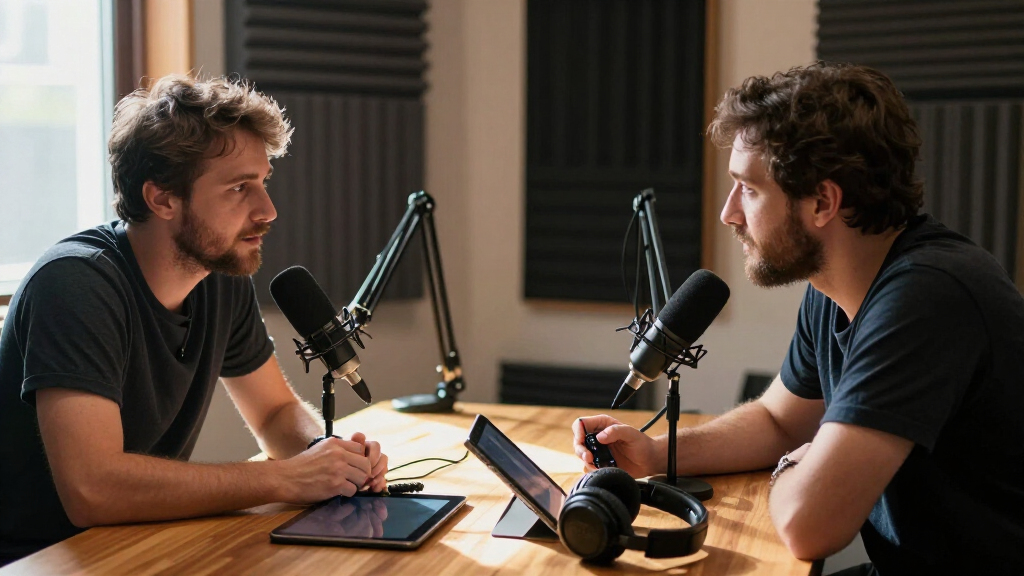

The best wireless microphone for podcasting is the Hollyland Lark M2 Wireless Microphone System with Charging Case, which pairs broadcast-grade audio with a tiny clip-on transmitter and a case that keeps everything charged between sessions. If you record handheld-style interviews or solo commentary, the MAONO PD200W Hybrid Wireless Dynamic Podcast Microphone is the stronger fit because it behaves like a traditional podcast mic without the cable. Budget podcasters recording straight to a phone will find the MAYBESTA Wireless Mini Lavalier 2-Pack covers two hosts for very little money. The main tradeoff in this category is between tiny lavalier systems, which are discreet and portable, and wireless dynamic microphones, which give you that classic podcast sound and feel but require more desk space. Battery life, receiver compatibility with your recording device, and how well each system handles background noise also separate the winners from the rest. Read on for the full ranked breakdown, including who each pick is for and who should skip it.

Get everyday essentials delivered free — and shop member deals
- Fast, free delivery on millions of items
- Access to Prime Big Deal Days deals on October 6–7
- Prime Video, Amazon Music and more included
Complete the kit



Key Takeaways
- Hollyland dominates the top of this roundup because its Lark M2 and LARK A2 kits deliver the best combination of noise handling, range, and charging-case convenience — but you pay a premium over generic lavalier brands.
- Wireless dynamic microphones like the MAONO PD200W and PD100W sound more like traditional podcast mics than any lavalier, making them the right call if you prefer holding a mic or need to reject room noise.
- Ultra-cheap two-packs (MAYBESTA, Labstandard, NPTCL, GoorDik) all work for casual phone recording, but they cut corners on noise reduction and range — fine for beginners, risky for published episodes.
- Receiver format matters more than most buyers expect: USB-C receivers dominate this list, so iPhone 15-and-later users are fine, but anyone with a Lightning-only device needs to double-check compatibility before buying.
- The ZealSound K66 appears twice in single and dual configurations — the dual version is the better value for two-host shows since buying two single units separately costs more and complicates syncing.
- Charging cases, not battery life specs, are the real convenience differentiator: kits with cases (Lark M2, LARK A2, RØDE Wireless Micro) stay ready for weeks, while case-less kits die mid-week if you forget to recharge transmitters.
| Hollyland Lark M2 Wireless Microphone System with Charging Case |  | Best Overall for Flexible Podcast Setups | Audio format: 48 kHz/24-bit | Transmission range: Up to 300 m (1,000 ft), line of sight | Battery life: Up to 10 hours per charge; up to 40 hours with charging case | VIEW LATEST PRICE | See Our Full Breakdown |
| Hollyland Lark A1 Wireless Microphone Kit (2 Transmitters, USB-C Receiver) |  | Best for USB-C Phone Interviews | Connectivity: 2.4 GHz wireless | Connector: USB-C | Transmitters: 2 | VIEW LATEST PRICE | See Our Full Breakdown |
| ZealSound K66 Wireless Microphone for PC, iPhone, iPad, and Android |  | Best for Desktop Podcast Controls | Model: K66 | Audio capture: 48 kHz | Microphone type: Condenser | VIEW LATEST PRICE | See Our Full Breakdown |
| MAYBESTA Wireless Mini Lavalier Microphones for iPhone and Android, 2-Pack |  | Best for Simple Two-Person Phone Recording | Type: Wireless lavalier microphone | Quantity: 2 microphones | Compatibility: iPhone, iPad, Android phones, laptops, and tablets | VIEW LATEST PRICE | See Our Full Breakdown |
| Hollyland LARK A2 Wireless Microphone Kit with 2 Transmitters, USB-C Receiver, and Charging Case |  | Best for Backup-Safe Phone Recording | Connectivity: 2.4 GHz wireless | Connector: USB Type-C | Included components: 2 transmitters, 1 USB-C receiver, and charging case | VIEW LATEST PRICE | See Our Full Breakdown |
| RØDE Wireless Micro (2 Mics + Charging Case), USB-C for iPhone & Android |  | Best for Fast Two-Person Smartphone Recording | Microphones: 2 wireless microphones | Phone connection: USB Type-C receiver | Pickup pattern: Omnidirectional | VIEW LATEST PRICE | See Our Full Breakdown |
| MAONO PD100W Wireless Dynamic Microphone with USB-C Receiver |  | Best for Beginner Desk Podcasters | Microphone type: Dynamic | Wireless connection: 2.4 GHz | Wired connection: USB | VIEW LATEST PRICE | See Our Full Breakdown |
| Labstandard Dual Wireless Lavalier Microphone for iPhone, iPad, and USB-C Devices |  | Best for Cross-Platform Phone Interviews | Microphones: 2 wireless lavalier microphones | Wireless transmission: 2.4 GHz | Latency: 0.008 seconds | VIEW LATEST PRICE | See Our Full Breakdown |
| MAONO PD200W Hybrid Wireless Dynamic Podcast Microphone |  | Best for Flexible Podcast Studios | Microphone type: Dynamic | Connectivity: Wireless, USB, XLR | Pickup pattern: Cardioid | VIEW LATEST PRICE | See Our Full Breakdown |
| MAONO PD200W Hybrid Wireless Dynamic Podcast Microphone |  | Best for a Ready-to-Mount Desk Setup | Microphone type: Dynamic | Connectivity: Wireless, USB, XLR | Pickup pattern: Cardioid | VIEW LATEST PRICE | See Our Full Breakdown |
| NPTCL Wireless Lavalier Microphones for iPhone, Android, and Computers |  | Best for Two-Person Phone Interviews | Microphones: 2 | Battery life per microphone: Up to 6 hours | Total battery life with case: Up to 24 hours | VIEW LATEST PRICE | See Our Full Breakdown |
| Hollyland Lark M2 Wireless Lavalier Microphone |  | Best for Long-Range Recording | Weight: 9 g | Wireless range: Up to 1,000 ft line of sight | Audio format: 48 kHz/24-bit | VIEW LATEST PRICE | See Our Full Breakdown |
| Mini Mic Pro Wireless Lavalier Microphone for iPhone and Android |  | Best for Compact, Cross-Device Recording | Compatibility: iPhone, Android, tablets, and laptops | Included adapters: USB-C and Lightning | Wind protection: High-density foam and dead cat cover | VIEW LATEST PRICE | See Our Full Breakdown |
| GoorDik Wireless USB-C Lavalier Microphone with Noise Reduction |  | Best for Two-Person Mode Flexibility | Microphone type: Wireless lavalier | Transmitters: 2 | Connection: USB-C receiver with USB and Lightning adapters included | VIEW LATEST PRICE | See Our Full Breakdown |
| ZealSound K66 Dual Wireless Podcast Microphones |  | Best for Desktop Podcast Controls | Microphones: 2 wireless condenser microphones | Wireless connection: 2.4 GHz receiver | Audio resolution: 48 kHz/24-bit | VIEW LATEST PRICE | See Our Full Breakdown |
| wireless microphones for podcasting | Battery life | Pickup pattern |
|---|---|---|
| Hollyland Lark M2 Wireless Mic | Up to 10 hours per charge; up to 40 hours with charging case | — |
| Hollyland Lark A1 Wireless Mic | Up to 9 hours per transmitter; up to 18 hours alternating between two transmitters | — |
| ZealSound K66 Wireless Microph | — | Cardioid |
| MAYBESTA Wireless Mini Lavalie | — | Omnidirectional |
| Hollyland LARK A2 Wireless Mic | Up to 7 hours per transmitter; up to 9 hours with AI Power Saving; up to 42 hours with charging case | — |
| RØDE Wireless Micro | — | Omnidirectional |
| MAONO PD100W Wireless Dynamic | Up to 40 hours | Cardioid |
| Labstandard Dual Wireless Lava | About 6 hours | Omnidirectional |
| MAONO PD200W Hybrid Wireless D | Up to 60 hours with RGB off | Cardioid |
| MAONO PD200W Hybrid Wireless D | Up to 60 hours with RGB off | Cardioid |
| NPTCL Wireless Lavalier Microp | — | — |
| Hollyland Lark M2 Wireless Lav | Up to 10 hours per charge; up to 30 hours with charging case | — |
| Mini Mic Pro Wireless Lavalier | Up to 6 hours per charge | — |
| GoorDik Wireless USB-C Lavalie | 6–12 hours per transmitter | — |
| ZealSound K66 Dual Wireless Po | — | Cardioid |
More Details on Our Top Picks
Hollyland Lark M2 Wireless Microphone System with Charging Case
The Lark M2 is the most adaptable pick here for podcasters who record with more than one kind of device. Its included three receivers cover camera, phone, and computer workflows, while 48 kHz/24-bit capture gives voices room for clean editing. The two 9 g transmitters are easy to wear during a video interview, and the case stretches total use to 40 hours. Compared with the phone-specific Lark A1, this kit is a better fit for switching between recording devices; the A1 is simpler if USB-C phone recording is all you need. The tradeoff is that mono and stereo switching works only through a camera’s 3.5 mm connection, and the 300 m range assumes a clear line of sight.
Pros:- Three included receivers support camera, phone, and computer workflows.
- 48 kHz/24-bit recording supports detailed voice capture.
- Two 9 g transmitters are lightweight for on-camera interviews.
- Charging case provides up to 40 hours of total battery life.
Cons:- Mono and stereo switching is limited to camera use through the 3.5 mm jack.
- The 300 m range is specified for line-of-sight conditions.
Best for: Podcast hosts who alternate between camera, phone, and computer recording and want two lightweight mics.
Not ideal for: USB-C phone-only creators who want a simpler kit, or anyone who needs dependable long-range recording through walls.
- Audio format:48 kHz/24-bit
- Transmission range:Up to 300 m (1,000 ft), line of sight
- Battery life:Up to 10 hours per charge; up to 40 hours with charging case
- Microphone weight:9 g
- Signal-to-noise ratio:70 dB
- Maximum sound pressure level:115 dB
- Connectivity:iPhone, camera, Android, and PC; receiver supports UAC
- Included configuration:2 transmitters, 3 receivers, and charging case
Our verdict“Choose the Lark M2 if you need a two-person podcast mic kit that can move among cameras, phones, and computers.”
Hollyland Lark A1 Wireless Microphone Kit (2 Transmitters, USB-C Receiver)
For a two-person podcast recorded directly to a compatible phone, the Lark A1 keeps the kit focused: two transmitters, one USB-C receiver, and three noise cancellation levels to adapt to different surroundings. Its 48 kHz/24-bit audio matches the Lark M2’s stated resolution, while the M2’s three receivers make more sense for hosts who also record to cameras or computers. The A1’s 200 m range is generous on paper, and alternating between transmitters can provide up to 18 hours of use. That runtime is not the same as continuous recording from both mics, though, and the receiver draws power from the phone. It also requires a compatible USB-C connection, so it is a less flexible choice for mixed-device studios.
Pros:- Two transmitters suit interviews and two-person recordings.
- Three noise cancellation levels offer control for changing surroundings.
- 48 kHz/24-bit capture supports detailed voice recording.
- Up to 18 hours of use when alternating between transmitters.
Cons:- USB-C receiver limits use to devices with a compatible port.
- Receiver power comes from the connected phone.
- The stated 18-hour use depends on alternating between transmitters.
Best for: Two-person podcast or interview creators who record to a compatible USB-C smartphone and want adjustable noise cancellation.
Not ideal for: Hosts who need a camera receiver, broader connection options, or a receiver that does not draw power from their phone.
- Connectivity:2.4 GHz wireless
- Connector:USB-C
- Transmitters:2
- Audio resolution:48 kHz/24-bit
- Maximum sound pressure level:120 dB SPL
- Noise cancellation:3 levels
- Wireless range:Up to 200 m (650 ft)
- Battery life:Up to 9 hours per transmitter; up to 18 hours alternating between two transmitters
- Microphone weight:8 g
Our verdict“Pick the Lark A1 for straightforward two-person podcast recording on a compatible USB-C phone.”
ZealSound K66 Wireless Microphone for PC, iPhone, iPad, and Android
The ZealSound K66 takes a different approach from the clip-on Hollyland kits: it is a cordless USB condenser with a cardioid pickup pattern and hands-on controls for gain, echo, mute, and headphone volume. That makes it the more natural fit for a seated solo host who wants to adjust levels or monitor audio at the mic, rather than hide a transmitter on a guest. It also offers wired USB operation as a fallback and includes Lightning-compatible and USB-C adapters for supported devices. Compared with the two-transmitter Lark A1, the K66 is built around one speaker and on-mic adjustments, not mobile interviews. Its noise reduction can change vocal tone, so podcasters who prefer a natural sound may want to leave it off.
Pros:- On-mic gain, echo, mute, and headphone volume controls.
- Zero-latency headphone monitoring through a 3.5 mm jack.
- Wireless and wired USB modes give setup flexibility.
- Includes Lightning-compatible and USB-C adapters for supported devices.
Cons:- Single microphone setup is less suited to two-person conversations than the Lark A1.
- Noise reduction may alter the vocal tone.
- Compatibility depends on supported devices and connections.
Best for: Solo podcasters recording at a desk who want direct gain, mute, and headphone monitoring controls.
Not ideal for: Two-person interview hosts who need separate wearable microphones or creators seeking a small lavalier setup.
- Model:K66
- Audio capture:48 kHz
- Microphone type:Condenser
- Pickup pattern:Cardioid
- Wireless connection:2.4 GHz
- Monitoring:3.5 mm headphone jack, zero latency
- Controls:Gain, headphone volume, echo, and mute
- Connection options:Wireless and wired USB
- Included adapters:Lightning-compatible and USB-C
Our verdict“Choose the K66 for a desk-based solo podcast where on-mic controls and headphone monitoring matter more than wearable mics.”
MAYBESTA Wireless Mini Lavalier Microphones for iPhone and Android, 2-Pack
The MAYBESTA two-mic set is aimed at creators who want to clip a microphone on each speaker and record to a phone or tablet without installing an app. Its omnidirectional pickup and included windscreen suit conversational audio, while the receiver is designed to accommodate a phone case. Compared with the Lark A1, this kit emphasizes straightforward plug-in use and broad device compatibility rather than documented audio resolution, range, or detailed runtime. That makes it harder to plan longer podcast sessions: neither battery duration nor wireless distance is specified. The two-mic layout is useful for interviews, but buyers who need predictable recording endurance or more complete technical documentation may prefer the Lark A1 or the more connection-flexible Lark M2.
Pros:- Two microphones support conversations with a host and guest.
- Plug-in receiver works without an app when paired with the appropriate connection.
- Compatible with listed iPhone, iPad, Android, laptop, and tablet devices.
- Windscreen and noise-reduction chip are included.
Cons:- Battery runtime is not specified.
- Wireless range is not specified.
- Users need to choose the receiver adapter suited to their device.
Best for: Casual interview and podcast creators who want two clip-on mics for compatible phones or tablets with minimal setup.
Not ideal for: Podcasters planning long sessions or distant recording who need stated battery runtime and wireless range.
- Type:Wireless lavalier microphone
- Quantity:2 microphones
- Compatibility:iPhone, iPad, Android phones, laptops, and tablets
- Pickup pattern:Omnidirectional
- Noise reduction:Noise-reduction chip and windscreen
- Connection:Plug-in receiver; no app required
- Battery:Rechargeable
Our verdict“The MAYBESTA set suits casual two-person phone recordings when simple setup matters more than documented range and runtime.”
Hollyland LARK A2 Wireless Microphone Kit with 2 Transmitters, USB-C Receiver, and Charging Case
The LARK A2 is the strongest fit in this group for phone podcasters who want safeguards against sudden volume changes. Its AI auto-limiter and -6 dB safety track give editors a backup when a guest gets louder than expected, while adjustable AI noise cancellation offers three levels. Like the Lark A1, it has two transmitters and a USB-C receiver, but the A2 adds a charging case rated for up to 42 hours of total battery life. Each transmitter runs for up to 7 hours, or up to 9 with power saving, so the case matters more for extended recording days than any single session. The USB-C receiver narrows device compatibility, and the 200 m range depends on recording conditions.
Pros:- AI auto-limiter and -6 dB safety track provide options for handling loud peaks.
- Three adjustable AI noise cancellation levels.
- Charging case supports up to 42 hours of total battery life.
- Two pre-paired transmitters help simplify initial setup.
Cons:- USB-C receiver limits compatibility with devices lacking a suitable port.
- Per-charge transmitter runtime is up to 7 hours without power saving.
- The 200 m range can vary with recording conditions.
Best for: Two-person podcast hosts recording on USB-C phones who want a safety track and help managing sudden loud audio.
Not ideal for: Creators who need broad camera and device compatibility, or who prefer a receiver connection other than USB-C.
- Connectivity:2.4 GHz wireless
- Connector:USB Type-C
- Included components:2 transmitters, 1 USB-C receiver, and charging case
- Audio resolution:48 kHz/24-bit
- Signal-to-noise ratio:≥68 dB
- Polar pattern:Omnidirectional
- Wireless range:Up to 200 m (650 ft)
- Battery life:Up to 7 hours per transmitter; up to 9 hours with AI Power Saving; up to 42 hours with charging case
- Transmitter weight:8.5 g
Our verdict“Choose the LARK A2 if you record two-person podcasts on a USB-C device and value audio safeguards and a long-lasting case.”
RØDE Wireless Micro (2 Mics + Charging Case), USB-C for iPhone & Android
The RØDE Wireless Micro is the easiest fit here for a two-person podcast recorded straight to a USB-C phone: its receiver plugs directly into the device, and the pre-paired microphones avoid a separate setup step. GainAssist helps keep voices at manageable levels, which is useful when speakers vary in volume. Compared with the Labstandard Dual Wireless Lavalier, RØDE offers a charging case and a simpler dock-and-record routine, while Labstandard lists compatibility with both Lightning and USB-C. That convenience comes with a narrower phone fit: this version is for USB-C devices, not Lightning iPhones. The product description says up to 18 hours with the case, while the feature summary claims up to 21 hours of combined use, so I would treat runtime as approximate. Its phone-first design is less suited to a desk setup built around a computer or XLR mixer.
Pros:- Two pre-paired microphones and a directly connected USB-C receiver simplify phone recording.
- GainAssist automatically manages voice levels.
- Charging case supports extended recording away from a desk.
- Windshields are included for recording outside.
Cons:- This version does not connect to Lightning iPhones.
- The listed case-assisted runtime differs between the feature summary and product description.
- Phone-focused receiver offers fewer connection options than the MAONO PD200W.
Best for: Two-person podcast hosts who record directly on a USB-C iPhone or Android phone and want a quick, portable setup.
Not ideal for: Lightning iPhone owners or podcasters who need a microphone system for a computer, camera, or XLR mixer.
- Microphones:2 wireless microphones
- Phone connection:USB Type-C receiver
- Pickup pattern:Omnidirectional
- Automatic level control:GainAssist
- Channels:2
- Frequency response:20 Hz–20 kHz
- Battery:Lithium-ion; charging case included
- Case-assisted runtime:Up to 18 hours in product description; feature summary claims up to 21 hours
Our verdict“Choose the RØDE for quick two-person podcast recordings on a USB-C phone; skip it if you need Lightning or studio connectivity.”
MAONO PD100W Wireless Dynamic Microphone with USB-C Receiver
The MAONO PD100W suits a beginner building a desk podcast setup around one speaker. Its cardioid dynamic capsule focuses pickup toward the speaker, while three noise-reduction levels give the user some control over unwanted background sound. USB wired mode provides an alternative when wireless operation is unnecessary, and headphone monitoring makes it easier to hear the recording while speaking. Compared with the two-mic RØDE Wireless Micro, the PD100W is a more desk-oriented single-mic choice, with a headphone jack and wired connection; RØDE is more convenient for two people moving around with a phone. The PD100W’s stated 40-hour battery life and 50-meter range offer flexibility, but its receiver and computer-oriented design are less pocketable than a phone plug-in system. iPhone use requires a separate Lightning receiver, and Xbox consoles are unsupported.
Pros:- Wireless 2.4 GHz and USB wired recording modes.
- Cardioid pickup and three adjustable noise-reduction levels suit desk recording.
- Headphone monitoring and touch mute aid recording control.
- Battery life is listed at up to 40 hours.
Cons:- Only one microphone is included.
- iPhone use requires a separate Lightning receiver.
- Not compatible with Xbox consoles.
Best for: A first-time solo podcaster recording at a desk who wants wireless and USB modes, headphone monitoring, and adjustable noise reduction.
Not ideal for: Interviewers who need two microphones in one kit, or iPhone users who rely on Lightning and do not want an extra receiver.
- Microphone type:Dynamic
- Wireless connection:2.4 GHz
- Wired connection:USB
- Pickup pattern:Cardioid
- Capsule size:30 mm
- Noise reduction:Three adjustable levels
- Battery life:Up to 40 hours
- Wireless range:Up to 50 m (160 ft)
- Headphone jack:3.5 mm
Our verdict“Pick the PD100W for a solo desk podcast with flexible wired and wireless operation, but choose a dual-mic kit for interviews.”
Labstandard Dual Wireless Lavalier Microphone for iPhone, iPad, and USB-C Devices
The Labstandard Dual Wireless Lavalier earns its place for interviewers who need one compact kit to work with both Lightning and USB-C devices. Its two clip-on microphones and included adapters make it easier to record guests across different phones and tablets than with the USB-C-only RØDE Wireless Micro. The listed 0.008-second latency is intended to keep audio aligned with video, and noise reduction offers some help in less controlled spaces. Its main compromise is stamina: about six hours of battery life leaves less room for long sessions than the RØDE’s case-assisted setup or the MAONO PD200W’s stated wireless runtime. The specifications also say some features require checking the manual, so this is a straightforward mobile interview kit rather than a clear choice for users who want detailed control or a permanent podcast desk system.
Pros:- Includes two wireless lavalier microphones.
- Supports Lightning and USB-C devices with the included adapter.
- Low listed latency supports synchronized video recording.
- Noise reduction is included.
Cons:- About six hours of battery life can limit long recording days.
- Omnidirectional pickup can capture surrounding sound.
- Some features require consulting the user manual.
Best for: Mobile interviewers and co-hosts who need two lavalier microphones to work with both Lightning and USB-C phones or tablets.
Not ideal for: Podcasters recording long sessions without charging breaks, or anyone seeking a desktop dynamic microphone with USB and XLR connections.
- Microphones:2 wireless lavalier microphones
- Wireless transmission:2.4 GHz
- Latency:0.008 seconds
- Battery life:About 6 hours
- Pickup pattern:Omnidirectional
- Compatibility:Lightning and USB-C devices
- Noise reduction:Included
- Included accessories:Receiver, rechargeable Lightning adapter, USB-C charging cable, user manual
Our verdict“Choose Labstandard for flexible two-person phone interviews across Lightning and USB-C devices, provided its shorter runtime suits your sessions.”
MAONO PD200W Hybrid Wireless Dynamic Podcast Microphone
The MAONO PD200W is the lineup’s most adaptable choice for a podcast desk that may change over time. It can connect by wireless, USB, or XLR, so a creator can start with a computer connection and later move to an XLR mixer without replacing the microphone. Its cardioid dynamic design, three-stage noise cancellation, and app controls give a solo host ways to shape a close, focused voice recording. Compared with the PD200W kit with boom arm, this listing includes a desktop stand, which is more convenient for a basic desk but may be less adjustable than an arm. It also supports two wireless desktop microphones to one receiver for separate tracks. The tradeoffs are accessory planning and a runtime caveat: camera and Lightning accessories are separate, and the up-to-60-hour figure applies with RGB off.
Pros:- Wireless, USB, and XLR connections support different recording setups.
- Supports two wireless desktop microphones to one receiver.
- Cardioid pickup and three-stage noise cancellation suit close voice recording.
- Includes a desktop stand and USB-C receiver accessories.
Cons:- Camera and Lightning accessories are sold separately.
- Up to 60 hours of battery life is specified with RGB off.
- The included desktop stand may not suit hosts who need a boom arm.
Best for: Solo podcasters or small shows planning to move between computer recording, wireless use, and an XLR mixer.
Not ideal for: Creators who need a ready-to-use camera or Lightning phone setup, or who specifically want a boom arm in the box.
- Microphone type:Dynamic
- Connectivity:Wireless, USB, XLR
- Pickup pattern:Cardioid
- Capsule size:30 mm
- Signal-to-noise ratio:82 dB
- Maximum SPL:128 dB
- Wireless range:Up to 60 m
- Battery life:Up to 60 hours with RGB off
- Included accessories:Desktop stand, USB-C to USB-A&C cable, Type-C receiver, Type-C adapter cable, user manual
Our verdict“Choose this PD200W for a flexible desk-based podcast that may grow into XLR recording; account for separately sold phone or camera accessories.”
MAONO PD200W Hybrid Wireless Dynamic Podcast Microphone
This MAONO PD200W bundle is the better pick for someone setting up a fixed podcast desk and wanting a boom arm included. Like the PD200W with a desktop stand, it offers wireless, USB, and XLR connections, cardioid pickup, app controls, and support for two wireless microphones with separate tracks. The arm helps position the mic near the speaker while keeping the desk clearer; the stand-equipped version is simpler if you prefer a portable base. Its up-to-60-meter wireless range and up-to-60-hour battery claim add flexibility, though the runtime depends on RGB lighting being off. This is still a dynamic desk microphone, not a clip-on kit like the Labstandard Dual Wireless Lavalier, so it makes more sense for seated sessions than run-and-gun interviews. Camera and Lightning receivers are sold separately, which can add steps for mobile recording.
Pros:- Includes a boom arm for positioning the mic at a podcast desk.
- Wireless, USB, and XLR connections allow different recording workflows.
- Supports two wireless microphones with separate recording tracks.
- Cardioid pickup, app controls, and noise cancellation support voice-focused recording.
Cons:- Camera and Lightning receivers are sold separately.
- The up-to-60-hour battery claim requires RGB lighting to be off.
- Desk-mounted form is less convenient for mobile interviews than lavalier kits.
Best for: Desk-based solo hosts or small podcast teams who want a boom arm in the kit and may use USB, wireless, or XLR.
Not ideal for: Mobile interviewers who need clip-on microphones, or phone-first creators who need Lightning or camera receivers included.
- Microphone type:Dynamic
- Connectivity:Wireless, USB, XLR
- Pickup pattern:Cardioid
- Capsule size:30 mm
- Signal-to-noise ratio:82 dB
- Maximum SPL:128 dB
- Wireless range:Up to 60 m
- Battery life:Up to 60 hours with RGB off
- Included accessories:Boom arm, USB-C to USB-A&C cable, Type-C receiver, Type-C adapter cable, user manual
Our verdict“Pick this bundle if you want the PD200W’s connection flexibility with a boom arm for a fixed podcast desk.”
NPTCL Wireless Lavalier Microphones for iPhone, Android, and Computers
The NPTCL set is a practical fit for podcast interviews recorded on phones, with two microphones that pick up both speakers and a plug-and-play receiver that avoids app setup. Its stated 70-foot range gives hosts room to move around, though the Hollyland Lark M2 reaches much farther in line of sight and offers higher-resolution audio. NPTCL counters with broad device compatibility, including computers when using the included adapter, and a case that extends total use to up to 24 hours. The tradeoff is that each mic runs for up to six hours before needing a recharge, so long recording days may require a break. I’d choose it for straightforward two-person mobile sessions, but not for buyers who prioritize detailed audio specifications or extended single-charge recording.
Pros:- Two microphones capture two speakers at once
- Automatic pairing and plug-and-play setup require no app or Bluetooth
- Charging case provides up to 24 hours of total use
- Compatible with phones and computers using the included adapter
Cons:- Each microphone runs for up to six hours per charge
- Computer setup may require the included USB adapter
- Its 70-foot stated range is shorter than the Hollyland Lark M2’s line-of-sight range
Best for: Phone-based podcast hosts recording interviews with one guest who want automatic pairing and a charging case.
Not ideal for: Podcasters recording long sessions without breaks or those who need a specified high-resolution audio format.
- Microphones:2
- Battery life per microphone:Up to 6 hours
- Total battery life with case:Up to 24 hours
- Maximum range:70 feet
- Connection:Plug and play with automatic pairing; no app or Bluetooth required
- Noise reduction:DSP noise reduction and windscreen cover
- Compatibility:USB-C devices, iPhone 15/16, Android phones, iPad, MacBook, laptops, and computers with USB adapter
Our verdict“Choose the NPTCL set for simple two-person phone interviews with flexible device compatibility, provided six-hour mic sessions are enough.”
Hollyland Lark M2 Wireless Lavalier Microphone
For podcast hosts who record away from the phone or computer, the Hollyland Lark M2 pairs a 9 g lavalier with a stated line-of-sight range of up to 1,000 feet. That reach is far beyond the NPTCL set’s 70 feet, although it depends on a clear path between transmitter and receiver. Its 48 kHz/24-bit format and adjustable noise cancellation give buyers more audio detail and control than the Mini Mic Pro’s listed specifications provide. The Lark M2 also offers up to 10 hours per charge and 30 hours with its case, making it better suited to extended recording days. The USB-C version’s phone controls depend on device support for volume-button shortcuts, and its maximum range is not a promise for obstructed indoor spaces. I’d pick it for portable, single-speaker podcast segments where distance and compact size matter.
Pros:- Very light at 9 g
- 48 kHz/24-bit audio format
- Adjustable strong and low noise cancellation
- Up to 30 hours of use with the charging case
Cons:- The 1,000-foot maximum range requires line of sight
- Phone recording control depends on device support for volume-button shortcuts
Best for: Mobile podcasters using compatible USB-C devices who need a lightweight mic for recording at a distance.
Not ideal for: Hosts recording through walls or obstacles, or users whose phones do not support its volume-button recording controls.
- Weight:9 g
- Wireless range:Up to 1,000 ft line of sight
- Audio format:48 kHz/24-bit
- Signal-to-noise ratio:70 dB
- Maximum sound pressure level:115 dB
- Battery life:Up to 10 hours per charge; up to 30 hours with charging case
- Noise cancellation:Strong and Low levels
- Compatibility:USB-C version for Android phones, iPhone 15 and later, action cameras, and computers
Our verdict“Pick the Lark M2 for lightweight USB-C podcast recording over distance, as long as line of sight and phone controls suit your setup.”
Mini Mic Pro Wireless Lavalier Microphone for iPhone and Android
The Mini Mic Pro is a compact choice for podcasters who switch between Lightning and USB-C devices: both adapters are included, so the same mic can work with many iPhones, Android phones, tablets, and laptops. Its foam and dead cat wind protection help with outdoor voice recording, while the under-one-ounce design is easy to carry between locations. Compared with the Hollyland Lark M2, this model lists a shorter battery life of up to six hours and gives no recording-range figure, making it harder to plan sessions where the receiver is far from the speaker. It does offer device charging while recording, a useful option for phone-based interviews or solo episodes that run long. I’d favor it for simple, portable recording across different connectors, but not for buyers who need documented range or a two-mic setup.
Pros:- USB-C and Lightning adapters are included
- Under one ounce and easy to carry
- Foam and dead cat covers help reduce wind noise
- Supports charging a device while recording
Cons:- Battery life is limited to up to six hours per charge
- Recording range is not specified
- The listed setup is a single microphone rather than a two-person kit
Best for: Solo podcasters who move between Lightning and USB-C phones and want a light mic with wind covers.
Not ideal for: Two-person podcast teams or hosts who need a specified wireless range and longer mic runtime.
- Compatibility:iPhone, Android, tablets, and laptops
- Included adapters:USB-C and Lightning
- Wind protection:High-density foam and dead cat cover
- Battery life:Up to 6 hours per charge
- Weight:Under 1 ounce
- Connection:Wireless plug and play; no app or Bluetooth required
- Device charging:Supports charging your device while recording
Our verdict“Choose the Mini Mic Pro for portable solo recording across Lightning and USB-C devices, if its single-mic setup and six-hour runtime fit.”
GoorDik Wireless USB-C Lavalier Microphone with Noise Reduction
GoorDik gives interview podcasters two transmitters and a choice between noise reduction and original sound, so the kit can suit quieter rooms as well as noisier recording spots. Its stated range of up to 30 meters gives speakers some space to move, while the included USB and Lightning adapters broaden its use beyond the USB-C receiver connection. That makes it more flexible across devices than a USB-C-only setup such as the Hollyland Lark M2 version described here. The tradeoff is a less seamless setup: some Android phones may need OTG enabled, and computers may require the mic to be selected as the default input. Battery life is listed as six to twelve hours per transmitter, a wide span rather than a single predictable runtime. I’d shortlist it for two-person interviews when multiple audio modes and adapters matter more than effortless computer setup.
Pros:- Two transmitters support two-speaker recording
- Offers noise reduction and original sound modes
- USB and Lightning adapters support a range of devices
- Includes foam covers and furry windscreen muffs
Cons:- Some Android phones may require OTG activation
- Computers may need the microphone selected as the default input
- Battery life varies from six to twelve hours per transmitter
Best for: Interview podcasters recording two speakers who want included adapters and selectable noise reduction or original sound.
Not ideal for: Beginners seeking guaranteed plug-and-play behavior on every Android phone or computer.
- Microphone type:Wireless lavalier
- Transmitters:2
- Connection:USB-C receiver with USB and Lightning adapters included
- Wireless range:Up to 30 meters
- Battery life:6–12 hours per transmitter
- Transmitter battery capacity:60 mAh each
- Audio modes:Noise reduction and original sound
- Included accessories:USB charging cable, 4 foam covers, 2 furry windscreen muffs, USB adapter, Lightning adapter, and user manual
Our verdict“Choose GoorDik for adaptable two-person interviews across several device types if you are comfortable checking connection settings.”
ZealSound K66 Dual Wireless Podcast Microphones
The ZealSound K66 is the most desk-focused option in this group: its two condenser microphones have individual gain, echo, mute, and headphone-volume controls, plus zero-latency monitoring through a 3.5 mm jack. Those hands-on controls make it easier for two hosts to adjust levels and mute quickly during a conversation than with the lavalier kits from NPTCL or GoorDik. A 2.4 GHz receiver and included desktop stands suit a fixed podcast station, while 48 kHz/24-bit audio and up to 16 hours of wireless use cover longer sessions. It is less discreet and portable than the Hollyland Lark M2, and Bluetooth only handles music input, not microphone audio. I’d choose it for two-person desk recordings where independent controls matter more than a small clip-on form.
Pros:- Two microphones record together through one receiver
- Independent gain, echo, mute, and headphone-volume controls
- Zero-latency monitoring through a 3.5 mm headphone jack
- Up to 16 hours of wireless use and wired operation while charging
Cons:- Desktop microphones and stands are less portable than lavalier kits
- Bluetooth is for music input only, not microphone audio
- Using both microphones with one device requires wireless mode
Best for: Two-person podcast teams recording at a desk who want separate mic controls and real-time headphone monitoring.
Not ideal for: Mobile hosts who need discreet lavaliers, or anyone expecting Bluetooth to carry microphone audio.
- Microphones:2 wireless condenser microphones
- Wireless connection:2.4 GHz receiver
- Audio resolution:48 kHz/24-bit
- Pickup pattern:Cardioid
- Wireless battery life:Up to 16 hours
- Monitoring:3.5 mm headphone jack with zero-latency monitoring
- Controls:Independent gain, echo, mute, and headphone volume
- Compatibility:PC, Mac, laptops, PS4/PS5, iPhone, iPad, USB-C Android phones, and tablets
Our verdict“Pick the K66 for a two-host desktop podcast setup that benefits from individual mic controls and direct headphone monitoring.”

How We Picked
I evaluated every system here against the demands of actual podcast workflows rather than spec sheets. The first criterion was sound quality consistency: a podcast mic has to capture a full, intelligible voice at a fixed distance, so I prioritized models with effective noise reduction, good gain handling, and low hiss over models that just advertise long range. The second was receiver and device compatibility — a wireless system is useless if its receiver doesn’t plug into your recorder, camera, or phone, so USB-C flexibility weighed heavily. Third, I judged usability for podcast-specific formats: two-transmitter kits for interviews and co-hosted shows, handheld dynamics for solo commentary, and clip-on lavs for video podcasts each scored differently on the same criteria.
Ranking then came down to tradeoffs. Premium kits like the Hollyland and RØDE systems rose to the top because their charging cases, build quality, and noise handling reduce the frustrating failure modes — dead batteries, wireless dropouts, unusable background hiss — that ruin recordings. Value picks like the MAYBESTA and ZealSound ranked lower not because they fail, but because their compromises (thinner sound, shorter reliable range, no charging case) show up the moment you record outside a quiet room. Where two products overlapped almost exactly, like the MAONO PD200W appearing twice in different bundles, I treated them as one family and positioned the configuration that makes more sense for most buyers.
| wireless microphones for podcasting | Pickup pattern |
|---|---|
| Hollyland Lark M2 Wireless Mic | — |
| Hollyland Lark A1 Wireless Mic | — |
| ZealSound K66 Wireless Microph | Cardioid |
| MAYBESTA Wireless Mini Lavalie | Omnidirectional |
| Hollyland LARK A2 Wireless Mic | — |
| RØDE Wireless Micro | Omnidirectional |
| MAONO PD100W Wireless Dynamic | Cardioid |
| Labstandard Dual Wireless Lava | Omnidirectional |
| MAONO PD200W Hybrid Wireless D | Cardioid |
| MAONO PD200W Hybrid Wireless D | Cardioid |
| NPTCL Wireless Lavalier Microp | — |
| Hollyland Lark M2 Wireless Lav | — |
| Mini Mic Pro Wireless Lavalier | — |
| GoorDik Wireless USB-C Lavalie | — |
| ZealSound K66 Dual Wireless Po | Cardioid |
Factors to Consider When Choosing Wireless Microphones For Podcasting
Choosing a wireless podcast microphone involves more than picking the best-reviewed kit. The right choice depends on your recording format, your room, and the device you record into — and the most common mistakes come from buying for the wrong format entirely.
Lavalier Systems vs. Wireless Dynamic Microphones
The single biggest decision is form factor, and it shapes everything else. Lavalier systems like the Hollyland Lark series clip to your shirt, keep your hands free, and stay out of the camera frame — ideal for video podcasts, interviews on location, and shows where hosts move around. Wireless dynamic microphones like the MAONO PD200W give you something to hold or mount on a stand, which naturally encourages better mic technique and produces the warmer, radio-style tone listeners associate with podcasting. A common mistake is buying a lav system for a fixed two-person desk show and then fighting clothing rustle and inconsistent distance for months. Conversely, buying a handheld dynamic for a walk-and-talk interview format means managing a mic in one hand the entire time. Decide your format first, then choose the technology.
Receiver Compatibility and Connection Type
Wireless microphones connect through receivers, and the receiver has to match your recording device. Most kits in this roundup use USB-C receivers, which work with Android phones, newer iPhones, computers, and many cameras — the most versatile option available today. Some budget kits ship Lightning receivers or 3.5mm connectors instead, which limits your upgrade path if you change phones. If you record into a computer with a USB audio interface, check whether the wireless receiver is treated as a USB audio device; nearly all are, but latency behavior can differ. Podcasters who record into cameras need to confirm the receiver’s output level, since some mini receivers are tuned for mobile gain stages. Buying the wrong receiver type is the most common return reason in this category, so verify your recording device’s ports before anything else.
Single vs. Dual Transmitters
How many people speak on your show should dictate your transmitter count. Two-transmitter kits record co-hosts or interview subjects onto a single track through one receiver, which simplifies your setup but means you can’t fix one speaker’s levels independently afterward — unless the system records separate tracks internally, which only premium kits like the Hollyland and RØDE options do. A surprising number of new podcasters buy a single-transmitter kit, then discover they need a second one for guests and end up paying more than a dual kit would have cost. Single-transmitter setups still make sense for solo commentators and voice-over creators. If you plan to ever have a guest, the dual kit is almost always the better long-term purchase, even at a higher starting cost.
Noise Handling and Your Recording Environment
Marketing language about “noise reduction” covers a wide range of actual performance. Premium systems use genuine environmental noise cancellation that can rescue a recording made near an air conditioner or on a busy street, while budget kits often just apply aggressive processing that makes voices sound thin and processed. Your room matters more than the mic’s claims, though: a dynamic microphone naturally rejects room reflections and background sound because it must be spoken into closely, while an omnidirectional lavalier picks up everything around it. If you record in an untreated bedroom or a shared office, favor dynamics or premium lavs with proven cancellation. If you record in a quiet, furnished room, even budget lavs can sound respectable. Be honest about your environment before paying for cancellation features you may not need.
Battery Strategy and Charging Cases
Battery specs are misleading in isolation. A transmitter rated for six hours seems generous until you realize most podcasters record in short bursts across a week, and a case-less kit that sits in a drawer will be dead when inspiration strikes. Charging-case systems solve this by topping off transmitters automatically between uses, which is why kits like the Hollyland Lark M2, LARK A2, and RØDE Wireless Micro command a premium — the case is a workflow feature, not a luxury. Case-less kits require discipline: charge everything the night before recording, every time. Also check whether the system can record while charging, since some budget kits cannot. For weekly shows, any system works; for unpredictable recording schedules, the charging case pays for itself in avoided frustration.
When to Pay More — and When Not To
The realistic ceiling matters here. If your podcast is published publicly and you want listeners to stay past the first minute, audio quality gaps between a $30 generic kit and a premium system are audible in headphones and compound over episodes. Pay more when you record video, interview in varied locations, or publish on competitive platforms where production quality is table stakes. Skip the premium tier when you’re recording drafts, publishing to a small audience, or still figuring out whether podcasting will stick — a basic kit that works is better than a flagship system you never set up. One pattern from this roundup worth repeating: the middle tier is thin. Most products cluster at either budget or premium pricing, so your decision is mostly binary. Buy cheap to start, then upgrade once you know your format — that upgrade moment is when Hollyland and RØDE earn their price.
Frequently Asked Questions
Can a wireless microphone really match a wired XLR podcast mic for sound quality?
For most listeners on most platforms, yes — but with caveats. Modern digital wireless systems like the Hollyland Lark M2 and RØDE Wireless Micro transmit uncompressed or lightly compressed audio that holds up well against mid-range wired USB microphones, and wireless dynamics like the MAONO PD200W use the same capsule philosophy as wired podcast mics. Where wireless still trails is in the extremes: very long recording sessions where compression artifacts build up, and professional studio contexts where XLR preamps and full-size capsules capture more detail. If your show is voice-focused and distributed on podcast apps, the convenience of wireless costs you almost nothing in perceived quality. If you aspire to studio-grade production, plan on a wired XLR chain eventually and treat wireless as your flexible second system.
Do I need a two-transmitter kit if I usually record solo?
Not necessarily, but think about your show’s trajectory before deciding. A single-transmitter setup like one channel of the Hollyland Lark M2 is simpler, cheaper, and battery-efficient for solo commentary. The catch is that podcast formats drift: solo shows add guests, remote interviews move to in-person, and co-hosts appear. Buying a dual kit upfront costs less than buying a single kit now and a second system later, and dual kits from the same family share one receiver. One practical note — with most dual kits, both transmitters record onto one combined track, so if independent level control matters to you, look at systems that record internal or separate tracks, which is a premium-tier feature. If you’re confident your show will stay solo for the foreseeable future, save the money and put it toward acoustic treatment instead.
Will these wireless mics work with my iPhone?
It depends on your iPhone’s port, and this trips up a lot of buyers. Since iPhone 15, Apple devices use USB-C, which means the majority of kits in this roundup — anything with a USB-C receiver — plugs in directly and works as a standard USB audio device. If you have an older Lightning-port iPhone, you need either a kit that ships with a Lightning receiver (increasingly rare, but some MAYBESTA and Labstandard bundles include them) or a USB-C-to-Lightning adapter, which not all kits support reliably. Check the product listing for your exact phone model before ordering, because receiver compatibility is the most common return reason in this category. Android users and computer-based podcasters have it easier: USB-C receivers work across nearly all modern devices without adapters.
How much range do I actually need for podcasting?
Far less than the marketing suggests. Manufacturers quote line-of-sight ranges of 200 meters or more, but podcast recording typically happens with transmitters within a few meters of the receiver — across a desk, across a room, maybe across a small studio. Any kit in this roundup handles that distance without issue. Range starts to matter in two scenarios: walk-and-talk interview shows recorded outdoors, and setups where the receiver sits near a computer surrounded by Wi-Fi interference, which degrades real-world range well below the quoted figure. What matters more than raw range is connection stability — dropouts mid-recording are unrecoverable, while slightly reduced range just limits where you can stand. Premium kits from Hollyland and RØDE use frequency-hopping designs that resist interference better, which is a genuine reason to pay more if you record in RF-crowded urban environments.
Are cheap wireless lavalier kits good enough to publish a podcast with?
Honestly, it depends on your room and your standards. In a quiet, carpeted, furnished room, budget kits like the MAYBESTA or NPTCL can produce perfectly publishable speech audio — spoken-word content is forgiving, and listeners accept honest, unpolished sound from independent shows. The weaknesses appear at the edges: background hiss becomes noticeable under headphones, noise reduction is crude or absent, and build quality means connectors and clips break with regular use. Where I’d draw the line is professional or monetized content — if sponsors pay for ad reads or you’re competing in a crowded niche, the audio gap between a $30 kit and a Hollyland system is audible to discerning listeners. A reasonable strategy: start cheap to confirm you’ll actually keep podcasting, then upgrade once your publishing cadence is established. The cheap kit then becomes your travel or backup rig.
Conclusion
After comparing all fifteen systems, the decision comes down to format and commitment level. For the best overall pick, the Hollyland Lark M2 with Charging Case wins on sound quality, noise handling, and always-ready battery management — it’s the kit that least often gets in the way of recording. The Hollyland LARK A2 is the best premium step-up if you want internal recording headroom and refined processing, and the RØDE Wireless Micro is the strongest alternative for creators already invested in RØDE’s ecosystem and software. For best value, the MAYBESTA 2-Pack puts two working transmitters in listeners’ ears for minimal spend, with the ZealSound K66 dual setup as the value pick if you want a mic-you-hold experience rather than lavs. Beginners should start with the Hollyland Lark A1 or a basic dual lav kit — simple, forgiving, and cheap enough that a lapsed hobby doesn’t sting. For specific needs: the MAONO PD200W is the pick for traditional desk podcasting with a wireless twist, the MAONO PD100W suits solo hosts who want a dynamic mic without a mixer, and the compact single-channel Hollyland Lark M2 lavalier covers video podcasters who need an invisible mic on camera. Match the tool to your format, verify your receiver port, and buy the tier that matches how seriously you publish — the right wireless mic is the one that’s charged and clipped on when you hit record.
Fall Picks
fall essentials
As an affiliate, we earn on qualifying purchases.