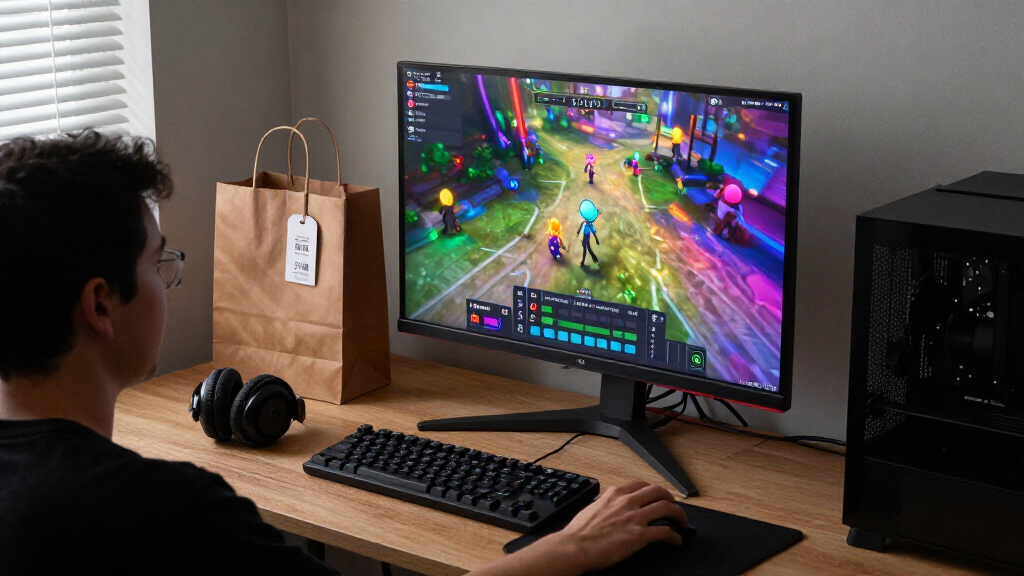

For most players, I’d make the Acer Nitro KG271U my best overall pick: its 27-inch QHD IPS screen and 180Hz refresh rate balance sharpness and speed. The ASUS TUF VG27UQ1A stands out for 4K detail and a higher refresh rate, while the AOC Q27G4XN offers another QHD 180Hz route. The main tradeoff is choosing between resolution, motion speed, screen size, and the graphics power needed to drive them. Black Friday gaming monitor deals span everything from compact 1080p screens to ultrawide high-refresh displays, so the right fit depends on your games and PC or console. Read on for the full breakdown and a guide to matching a monitor to your setup.

Get everyday essentials delivered free with Prime
- Fast, free delivery on millions of items
- Prime Video, Amazon Music and more included
- Member-only deals all year
Key Takeaways
- The Acer Nitro KG271U is the roundup’s balanced pick: QHD resolution, an IPS panel, and 180Hz make it a strong middle ground without jumping to 4K.
- There is no single best refresh rate for every player: the 240Hz and 260Hz models prioritize fast motion, while the ASUS 4K 160Hz option puts more emphasis on detail.
- Screen size changes the value of resolution: 27-inch QHD options offer a sharper desktop view than 32-inch FHD models, which trade pixel density for a larger curved screen.
- The lineup has useful budget and space-saving alternatives: Sceptre’s 22-inch 144Hz display is a compact choice, while its 27-inch 180Hz models offer a larger high-refresh step up.
- Two listings describe the KTC H32S17F: compare the exact listing and specifications before choosing between them, since the names point to the same core model rather than two clearly distinct picks.
| Sceptre E275W-FW100T 27-Inch Full HD 100Hz Monitor |  | Best for Everyday Gaming on a Large Screen | Screen size: 27 inches | Resolution: 1920 × 1080 (Full HD) | Refresh rate: Up to 100Hz | VIEW LATEST PRICE | See Our Full Breakdown |
| Acer Nitro KG271U 27-Inch QHD 180Hz IPS Gaming Monitor | 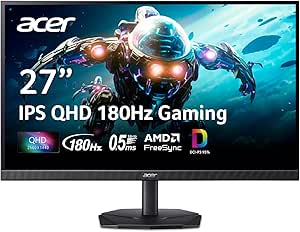 | Best Value for QHD High-Refresh Gaming | Screen size: 27 inches | Panel type: IPS | Resolution: 2560 × 1440 (QHD) | VIEW LATEST PRICE | See Our Full Breakdown |
| ASUS TUF Gaming VG27UQ1A 27-Inch 4K 160Hz Gaming Monitor |  | Best Premium 4K Gaming Pick | Screen size: 27 inches | Panel type: Fast IPS | Resolution: 3840 × 2160 (4K UHD) | VIEW LATEST PRICE | See Our Full Breakdown |
| KTC H32S17F 31.5-Inch Curved FHD 240Hz Gaming Monitor |  | Best Large Curved Screen for High-Refresh Play | Screen size: 31.5 inches | Resolution: 1920 × 1080 (FHD) | Refresh rate: 240Hz | VIEW LATEST PRICE | See Our Full Breakdown |
| Sceptre 22-Inch FHD 144Hz Gaming Monitor with Built-In Speakers |  | Best Compact Monitor for Small Desks | Screen size: 22 inches | Resolution: 1920 × 1080 (FHD) | Refresh rate: Up to 144Hz | VIEW LATEST PRICE | See Our Full Breakdown |
| Samsung 32-Inch Odyssey G5 QHD Gaming Monitor (G50F) |  | Best QHD Balance | Screen size: 32 inches | Resolution: 2560 × 1440 (QHD) | Panel: Fast IPS | VIEW LATEST PRICE | See Our Full Breakdown |
| Samsung Odyssey G3 G30D 27-Inch FHD Gaming Monitor |  | Best Ergonomic Full HD Pick | Screen size: 27 inches | Resolution: 1920 × 1080 (FHD) | Refresh rate: 180 Hz | VIEW LATEST PRICE | See Our Full Breakdown |
| Sceptre 27-Inch FHD 1080p IPS Gaming Monitor, 180Hz, 1ms, FreeSync, Built-In Speakers |  | Best Feature-Packed Starter | Screen size: 27 inches | Resolution: 1920 × 1080 (FHD) | Panel: IPS | VIEW LATEST PRICE | See Our Full Breakdown |
| Sceptre 27-Inch Full HD Gaming Monitor, 180Hz, E275B-FW180T Series |  | Best Multi-Device Connectivity | Screen size: 27 inches | Resolution: 1920 × 1080 (Full HD) | Refresh rate: 180 Hz | VIEW LATEST PRICE | See Our Full Breakdown |
| KTC H32S17F 32-inch 240Hz Curved Gaming Monitor |  | Best for Maximum Refresh on a Large Screen | Screen size: 32 inches | Resolution: 1920 × 1080 (FHD) | Refresh rate: 240 Hz | VIEW LATEST PRICE | See Our Full Breakdown |
| Sceptre 34-Inch Curved Ultrawide Gaming Monitor, 3440 × 1440, 240Hz, 1500R |  | Best Ultrawide for High-Refresh Play | Screen size and aspect ratio: 34 inches; 21:9 | Resolution: 3440 × 1440 | Panel and curvature: VA; 1500R | VIEW LATEST PRICE | See Our Full Breakdown |
| AOC Q27G4XN 27-inch QHD 180Hz Gaming Monitor |  | Best Adjustable QHD Value | Screen size and aspect ratio: 27 inches; 16:9 | Resolution: 2560 × 1440 (QHD) | Panel type: VA | VIEW LATEST PRICE | See Our Full Breakdown |
| AOC 27″ Gaming Monitor QHD 260Hz Overclocked IPS NVIDIA G‑SYNC Q27G41ZE |  | Best for Competitive QHD Gaming | Screen size: 27 inches | Resolution: 2560 × 1440 (QHD) | Panel type: IPS | VIEW LATEST PRICE | See Our Full Breakdown |
| Samsung Odyssey G5 32-inch QHD 180Hz Gaming Monitor |  | Best Large-Screen QHD Pick | Screen size: 32 inches | Resolution: 2560 × 1440 (QHD) | Panel type and finish: VA; matte | VIEW LATEST PRICE | See Our Full Breakdown |
| Sceptre 32-Inch Curved FHD Gaming Monitor, 240Hz, 1ms, FreeSync Premium (C325B-FWD240) |  | Best Full HD High-Refresh Pick | Screen size and resolution: 32 inches; 1920 × 1080 (FHD) | Panel type and curvature: VA; 1800R | Refresh rate: Up to 240Hz | VIEW LATEST PRICE | See Our Full Breakdown |
| Black Friday gaming monitor deal | Refresh rate | Response time | Resolution | Screen size |
|---|---|---|---|---|
| Sceptre E275W-FW100T 27-Inch F | Up to 100Hz | 1ms | 1920 × 1080 (Full HD) | 27 inches |
| Acer Nitro KG271U 27-Inch QHD | Up to 180Hz | Up to 0.5ms GTG | 2560 × 1440 (QHD) | 27 inches |
| ASUS TUF Gaming VG27UQ1A 27-In | 160Hz | 1ms | 3840 × 2160 (4K UHD) | 27 inches |
| KTC H32S17F 31.5-Inch Curved F | 240Hz | 1ms | 1920 × 1080 (FHD) | 31.5 inches |
| Sceptre 22-Inch FHD 144Hz Gami | Up to 144Hz | 1ms | 1920 × 1080 (FHD) | 22 inches |
| Samsung 32-Inch Odyssey G5 QHD | 180 Hz | 1 ms (GtG) | 2560 × 1440 (QHD) | 32 inches |
| Samsung Odyssey G3 G30D 27-Inc | 180 Hz | 1 ms MPRT | 1920 × 1080 (FHD) | 27 inches |
| Sceptre 27-Inch FHD 1080p IPS | Up to 180 Hz | 1 ms | 1920 × 1080 (FHD) | 27 inches |
| Sceptre 27-Inch Full HD Gaming | 180 Hz | 1 ms | 1920 × 1080 (Full HD) | 27 inches |
| KTC H32S17F 32-inch 240Hz Curv | 240 Hz | 1 ms | 1920 × 1080 (FHD) | 32 inches |
| Sceptre 34-Inch Curved Ultrawi | 240Hz | 1ms with blur reduction | 3440 × 1440 | — |
| AOC Q27G4XN 27-inch QHD 180Hz | 180Hz via DisplayPort 1.4 | 1ms GtG | 2560 × 1440 (QHD) | — |
| AOC 27" Gaming Monitor QHD 260 | 240Hz native; 260Hz overclocked | 0.3ms MPRT | 2560 × 1440 (QHD) | 27 inches |
| Samsung Odyssey G5 32-inch QHD | 180Hz | 1ms MPRT | 2560 × 1440 (QHD) | 32 inches |
| Sceptre 32-Inch Curved FHD Gam | Up to 240Hz | 1ms MPRT | — | — |
More Details on Our Top Picks
Sceptre E275W-FW100T 27-Inch Full HD 100Hz Monitor
The 27-inch screen gives this Sceptre room for casual play, streaming, and general desktop use, while its 100Hz refresh rate is a modest step up from standard 60Hz displays. It is a more budget-minded fit than the Acer Nitro KG271U, which adds QHD resolution and 180Hz for clearer detail and faster motion. The tradeoff is that this Sceptre’s Full HD resolution looks less crisp at 27 inches, especially for small text or close viewing. Two HDMI ports, DisplayPort, and built-in speakers make it easy to connect a console and PC without adding separate desktop audio. FreeSync can help smooth supported gameplay, but this is not the pick for buyers chasing high-refresh competitive performance. For a Black Friday setup focused on everyday use rather than premium specs, its straightforward feature mix is the appeal.
Pros:- 27-inch screen gives games and desktop content more room than compact options
- Up to 100Hz refresh rate with AMD FreeSync
- Two HDMI ports and one DisplayPort accommodate multiple devices
- Built-in speakers and VESA mounting support simplify a basic setup
Cons:- Full HD resolution is relatively low for a 27-inch screen
- 100Hz is slower than the Acer Nitro KG271U’s 180Hz and the 22-inch Sceptre’s 144Hz
- Listed viewing angle is 170 degrees
Best for: Casual PC and console players who want a roomy 27-inch screen, basic adaptive sync, and built-in audio for a simple desk setup.
Not ideal for: Competitive players or detail-focused users who want sharper QHD or 4K visuals and refresh rates above 100Hz.
- Screen size:27 inches
- Resolution:1920 × 1080 (Full HD)
- Refresh rate:Up to 100Hz
- Response time:1ms
- Adaptive sync:AMD FreeSync
- Color gamut:100% sRGB
- Ports:2 HDMI, 1 DisplayPort
- Audio:Built-in speakers, audio-in port, headphone jack
Our verdict“Choose this Sceptre for casual gaming and everyday use on a larger screen, but pick the Acer Nitro KG271U for sharper, faster play.”
Acer Nitro KG271U 27-Inch QHD 180Hz IPS Gaming Monitor
The Acer Nitro KG271U makes a strong case for moving beyond Full HD without stepping up to the ASUS TUF’s demanding 4K resolution. Its QHD IPS panel gives a 27-inch screen noticeably more room for fine detail, while 180Hz refresh suits fast PC games better than the Sceptre E275W-FW100T’s 100Hz ceiling. DCI-P3 95% coverage also supports a wider range of color, though the listed 250 cd/m² brightness may limit impact in bright rooms and HDR 10 should not be mistaken for high-end HDR performance. The zero-frame design works well for side-by-side displays, and tilt adjustment covers basic positioning. Connectivity is limited to HDMI and DisplayPort, with no listed USB ports. I’d place it high on a Black Friday shortlist for buyers who want a balanced resolution-and-speed upgrade, rather than maximum pixel density or console-focused 4K.
Pros:- QHD resolution adds detail over the Full HD Sceptre monitors at the same screen size
- Up to 180Hz refresh rate and 0.5ms GTG response time
- IPS panel with DCI-P3 95% color coverage and 178-degree viewing angle
- Zero-frame design supports a cleaner side-by-side monitor arrangement
Cons:- Listed brightness of 250 cd/m² may be limiting in bright spaces
- Connectivity is limited to HDMI and DisplayPort
- HDR 10 support does not establish high-end HDR performance
Best for: PC gamers seeking a 27-inch QHD display with a high refresh rate for both competitive play and sharper everyday visuals.
Not ideal for: Buyers who need strong HDR brightness, USB connectivity, or 4K resolution for detailed single-player games and console use.
- Screen size:27 inches
- Panel type:IPS
- Resolution:2560 × 1440 (QHD)
- Refresh rate:Up to 180Hz
- Response time:Up to 0.5ms GTG
- Brightness:250 cd/m²
- Color coverage:DCI-P3 95%
- Adaptive sync:AMD FreeSync
Our verdict“Choose the Acer Nitro KG271U if you want QHD detail and fast PC gaming without moving to the ASUS TUF’s 4K demands.”
ASUS TUF Gaming VG27UQ1A 27-Inch 4K 160Hz Gaming Monitor
This ASUS is the most resolution-focused option in this group: its 4K Fast IPS panel packs more detail into 27 inches than the Acer Nitro KG271U’s QHD display, while 160Hz refresh keeps it suited to fast gameplay. That combination makes the most sense for a powerful gaming PC that can take advantage of both high resolution and high frame rates. Console owners get another clear benefit: HDMI 2.1 supports up to 4K at 120Hz. FreeSync Premium, G-SYNC Compatible support, and ELMB Sync offer flexibility for reducing tearing and motion blur, but the listed HDR support is not a promise of the punchy highlights available from higher-end HDR screens. Compared with the simpler Sceptre E275W-FW100T, this is a much more ambitious display—and a less sensible match for modest hardware that struggles to drive 4K games.
Pros:- 4K resolution delivers finer detail than the Acer Nitro KG271U’s QHD panel
- 160Hz refresh rate and 1ms response time suit fast gameplay
- HDMI 2.1 supports up to 4K at 120Hz for consoles
- FreeSync Premium, G-SYNC Compatible support, and ELMB Sync provide multiple motion-smoothing options
Cons:- Driving games at 4K and high refresh rates calls for capable hardware
- HDR support may offer limited impact compared with higher-end HDR displays
- The feature set is more than casual or low-spec gaming setups need
Best for: PC gamers with hardware suited to high-resolution, high-refresh gaming and console players who want 4K at up to 120Hz over HDMI 2.1.
Not ideal for: Buyers using entry-level gaming hardware or anyone prioritizing strong HDR impact over resolution and refresh rate.
- Screen size:27 inches
- Panel type:Fast IPS
- Resolution:3840 × 2160 (4K UHD)
- Refresh rate:160Hz
- Response time:1ms
- Color gamut:95% DCI-P3
- Adaptive sync:AMD FreeSync Premium, NVIDIA G-SYNC Compatible
- Console support:Up to 4K at 120Hz via HDMI 2.1
- Warranty:3 years with Advanced Replacement and Repair service
Our verdict“Pick the ASUS TUF for a high-resolution gaming setup that can use 4K and high refresh, but skip it if your hardware or budget points to QHD.”
KTC H32S17F 31.5-Inch Curved FHD 240Hz Gaming Monitor
The KTC H32S17F pairs a 31.5-inch curved screen with a 240Hz refresh rate, favoring screen size and speed over fine resolution. Its 1500R curve wraps the image toward the viewer, and the listed 3500:1 contrast ratio gives this HVA panel a stronger contrast spec than the IPS-based Acer Nitro KG271U. But Full HD spread across 31.5 inches means less pixel density: text and game detail will look softer than on that Acer’s 27-inch QHD screen. The high refresh rate is most useful for players whose PC can produce very high frame rates; it is not a substitute for added resolution. FreeSync and G-Sync compatibility broaden its appeal, while tilt-only stand adjustment is less flexible than a stand with more positioning options. I’d consider it for immersive, fast-paced gaming where size matters more than crispness.
Pros:- 240Hz refresh rate and 1ms response time target fast gameplay
- 31.5-inch 1500R curved screen creates a more wraparound viewing layout
- FreeSync and G-Sync compatibility support variable-refresh gaming
- 3500:1 contrast ratio and 350 cd/m² listed brightness
Cons:- Full HD resolution looks less detailed at 31.5 inches than the Acer Nitro KG271U’s QHD resolution
- Stand adjustment is limited to tilt
- Large screen and 18.1-pound weight require more room than compact options
Best for: Competitive players who want a large curved display and can feed it high frame rates, with desk space for a 31.5-inch monitor.
Not ideal for: Users who sit close to the screen, prioritize sharp text and detail, or need a fully adjustable stand.
- Screen size:31.5 inches
- Resolution:1920 × 1080 (FHD)
- Refresh rate:240Hz
- Response time:1ms
- Curvature:1500R
- Panel type:HVA LCD
- Brightness:350 cd/m²
- Adaptive sync:FreeSync and G-Sync compatible
- Ports:2 HDMI 2.0, 1 DisplayPort 1.4, earphone port, USB 2.0
Our verdict“Choose the KTC for a large, curved 240Hz screen if speed and scale matter more to you than the sharper image of a QHD monitor.”
Sceptre 22-Inch FHD 144Hz Gaming Monitor with Built-In Speakers
At 22 inches, this Sceptre is the compact choice in a lineup otherwise dominated by 27-inch and larger screens. Its 144Hz refresh rate and 1ms response time make it better suited to responsive PC play than the 27-inch Sceptre E275W-FW100T, which tops out at 100Hz. The smaller Full HD panel also keeps the pixel density higher than Full HD on a 31.5-inch screen, though it gives less room for multitasking and immersive gaming. Built-in speakers, Blue-Light Shift, and a minimal-bezel design add practical value for a starter desk or dual-monitor setup. The limits are clear: there is only one listed HDMI port, and buyers who want a big, cinematic display may prefer the Acer Nitro KG271U’s 27-inch QHD screen. For a Black Friday setup where space is scarce, compactness is the point.
Pros:- Compact 22-inch size suits small desks and dual-monitor layouts
- Up to 144Hz refresh rate and 1ms response time
- Built-in speakers reduce the need for separate desktop audio
- Blue-Light Shift, matte finish, and FreeSync support
Cons:- 22-inch screen offers less viewing area than the 27-inch Acer Nitro KG271U
- Only one HDMI port is listed
- Full HD resolution does not provide the extra workspace of a QHD monitor
Best for: Students, apartment dwellers, and first-time PC gamers who need a space-saving monitor for a compact desk or dual-display arrangement.
Not ideal for: Players who want a large, immersive screen or need multiple HDMI connections for several consoles and devices.
- Screen size:22 inches
- Resolution:1920 × 1080 (FHD)
- Refresh rate:Up to 144Hz
- Response time:1ms
- Adaptive sync:FreeSync
- Ports:1 HDMI, DisplayPort
- Audio:Built-in speakers
- Eye-care feature:Blue-Light Shift
- Mounting:Wall mount
Our verdict“Choose this Sceptre when desk space and a 144Hz refresh rate matter more than a large screen or extra HDMI connections.”
Samsung 32-Inch Odyssey G5 QHD Gaming Monitor (G50F)
For a Black Friday shortlist centered on a large screen without dropping to Full HD, I’d put the 32-inch Odyssey G5 G50F near the top. Its QHD resolution gives games and desktop text more detail than the 27-inch Full HD Samsung Odyssey G3 G30D, while the 180Hz refresh rate still suits fast-paced play. The fast IPS panel and wide viewing angles also make it a more flexible choice for shared viewing than a typical narrow-angle display. Adaptive sync support for both FreeSync and G-Sync Compatible setups broadens its appeal.
The tradeoff is that 180Hz is below the 240Hz offered by the KTC H32S17F, and HDR10 with 300 cd/m² brightness should not be mistaken for a high-impact HDR experience. I’d choose this Samsung for sharper everyday use; competitive players focused on maximum refresh may prefer the KTC.
Pros:- QHD resolution provides more detail than the 27-inch Full HD Samsung Odyssey G3 G30D.
- 180Hz refresh rate and 1ms GtG response time support responsive play.
- Fast IPS panel offers 178-degree viewing angles.
- FreeSync and G-Sync Compatible support reduce tearing across different graphics card setups.
Cons:- Its 180Hz refresh rate is lower than the KTC H32S17F’s 240Hz.
- 300 cd/m² brightness limits the impact of HDR10.
- The supplied color gamut figure lacks a unit or color-space definition.
Best for: PC gamers who want a large 32-inch screen with sharper QHD detail for both gaming and everyday desktop use.
Not ideal for: Competitive players prioritizing the highest refresh rate, or buyers seeking especially bright, impactful HDR.
- Screen size:32 inches
- Resolution:2560 × 1440 (QHD)
- Panel:Fast IPS
- Refresh rate:180 Hz
- Response time:1 ms (GtG)
- HDR:HDR10
- Adaptive sync:FreeSync, G-Sync Compatible
- Stand adjustments:Height, pivot, tilt, swivel
Our verdict“Choose this Samsung if QHD sharpness on a large screen matters more than matching the 240Hz KTC’s speed.”
Samsung Odyssey G3 G30D 27-Inch FHD Gaming Monitor
The Samsung Odyssey G3 G30D is the practical Full HD choice for players who want a fast screen and a stand that can adapt to their desk. Its 180Hz refresh rate and FreeSync support cover the core needs for smooth gaming, while height, tilt, swivel, and pivot adjustments make positioning easier than on the tilt-only KTC H32S17F. Black Equalizer and Virtual Aim Point add gaming-specific visibility and aiming options rather than relying on speed alone.
The main compromise is resolution: at 27 inches, Full HD offers less fine detail than the 32-inch QHD Samsung Odyssey G5 G50F. Its glossy finish can also reflect room lighting, so placement matters. I’d pick this model over the Sceptre 27-inch FHD IPS monitor when ergonomic adjustability and Samsung’s gaming tools matter more than IPS viewing characteristics or built-in speakers.
Pros:- 180Hz refresh rate and 1ms MPRT response time support fast gameplay.
- Height, swivel, tilt, and pivot adjustments offer flexible positioning.
- Black Equalizer and Virtual Aim Point provide gaming-focused visibility tools.
- FreeSync helps reduce tearing.
Cons:- Full HD resolution is less detailed than the QHD Samsung Odyssey G5 G50F.
- Glossy screen finish can reflect nearby lights and windows.
- The listed 250 cd/m² brightness may be limiting in bright rooms.
Best for: Desk-bound PC gamers who want a fast 27-inch Full HD monitor with a fully adjustable stand and built-in aiming aids.
Not ideal for: Players who want sharper QHD detail at 27 inches or have bright, reflective lighting behind their desk.
- Screen size:27 inches
- Resolution:1920 × 1080 (FHD)
- Refresh rate:180 Hz
- Response time:1 ms MPRT
- Contrast ratio:3000:1
- Adaptive sync:AMD FreeSync
- Finish:Glossy
- Stand adjustments:Height, swivel, tilt, pivot
Our verdict“Pick the G3 G30D if ergonomic flexibility and gaming aids matter more than QHD resolution or a matte screen.”
Sceptre 27-Inch FHD 1080p IPS Gaming Monitor, 180Hz, 1ms, FreeSync, Built-In Speakers
This Sceptre suits a first gaming setup where flexibility and fewer add-ons matter. The 27-inch IPS panel combines 180Hz with a 1ms response time, while its matte finish avoids the reflections that can affect the glossy Samsung Odyssey G3 G30D. Built-in speakers, Blue-Light Shift, and a VESA mounting pattern add convenience for a basic desk or wall-mounted setup. Its three HDMI ports, alongside DisplayPort, also give more connection options than the two HDMI inputs on the Sceptre E275B-FW180T.
The price of that convenience is still a Full HD image spread across 27 inches, so fine detail falls behind the QHD Samsung Odyssey G5 G50F. Built-in speakers are handy for casual use, but buyers who care about game audio will likely want dedicated speakers or a headset. I’d favor this Sceptre as an adaptable entry point, not as a resolution upgrade.
Pros:- IPS panel and 178-degree viewing angle support consistent viewing from different positions.
- Up to 180Hz refresh rate and 1ms response time suit responsive gaming.
- Three HDMI ports plus DisplayPort offer flexible device connections.
- Matte finish, Blue-Light Shift, built-in speakers, and VESA mounting add setup convenience.
Cons:- Full HD resolution is less sharp than the QHD Samsung Odyssey G5 G50F at a similar screen size.
- Built-in speakers may not satisfy buyers who want fuller game audio.
- The listed refresh rate is up to 180Hz, so supported performance depends on the connected setup.
Best for: New PC or console gamers setting up a versatile 27-inch monitor who value a matte screen, multiple HDMI inputs, and basic built-in audio.
Not ideal for: Buyers who want crisp QHD detail at 27 inches or rely on strong, immersive sound from the monitor itself.
- Screen size:27 inches
- Resolution:1920 × 1080 (FHD)
- Panel:IPS
- Refresh rate:Up to 180 Hz
- Response time:1 ms
- Color gamut:100% sRGB
- Connectivity:DisplayPort, 3 × HDMI
- Other features:Built-in speakers, Blue-Light Shift, VESA mount pattern
Our verdict“Choose this Sceptre for an adaptable starter setup, but step up to QHD if image detail is your priority.”
Sceptre 27-Inch Full HD Gaming Monitor, 180Hz, E275B-FW180T Series
The E275B-FW180T is the more connection-focused choice among these 27-inch Full HD Sceptres. Its two HDMI and two DisplayPort inputs make it easier to keep several gaming devices attached than the Sceptre IPS model, which has three HDMI ports but only one DisplayPort. Adaptive-Sync, Blur Reduction, and a 180Hz refresh rate target smooth motion, while the matte finish is a practical advantage over the glossy Samsung Odyssey G3 G30D in a room with stray light. Built-in speakers and Blue-Light Shift round out the everyday conveniences.
There is no resolution advantage over the other 27-inch Full HD models, and its listed 94% sRGB gamut is below the Sceptre IPS model’s 100% sRGB figure. That makes this a stronger fit for a multi-device gaming desk than for color-focused work. I’d choose it for its port mix, not for a sharper picture.
Pros:- Two HDMI and two DisplayPort inputs support multiple connected devices.
- 180Hz refresh rate and 1ms response time support responsive gameplay.
- Adaptive-Sync and Blur Reduction target tearing and motion blur.
- Matte screen, built-in speakers, and VESA mounting add practical flexibility.
Cons:- Full HD resolution provides less detail than the QHD Samsung Odyssey G5 G50F.
- Its listed 94% sRGB gamut is lower than the Sceptre 27-inch IPS model’s 100% sRGB.
- Built-in speakers may not suit buyers seeking fuller or more precise audio.
Best for: Gamers who switch among a PC and multiple consoles or other video devices and want them connected at once.
Not ideal for: Buyers prioritizing QHD detail, higher listed color coverage, or a dedicated audio system.
- Screen size:27 inches
- Resolution:1920 × 1080 (Full HD)
- Refresh rate:180 Hz
- Response time:1 ms
- Color gamut:94% sRGB
- Ports:2 HDMI, 2 DisplayPort, audio-out jack
- Sync and motion features:Adaptive-Sync, Blur Reduction
- Finish and mounting:Matte; VESA wall-mountable
Our verdict“Pick this Sceptre when keeping several devices connected matters more than QHD resolution or stronger color coverage.”
KTC H32S17F 32-inch 240Hz Curved Gaming Monitor
Among the large-screen options here, the KTC H32S17F prioritizes speed over resolution. Its 240Hz refresh rate is higher than the 180Hz Samsung Odyssey G5 G50F, making it the more compelling match for players chasing very high frame rates. The 1500R curve wraps the 32-inch image toward the viewer, and the 3500:1 contrast ratio gives it a stronger listed contrast figure than the Samsung’s 1000:1. FreeSync and G-Sync support, anti-glare and anti-flicker features, and HDMI, DisplayPort, and USB connections add useful versatility.
That speed comes with a clear compromise: Full HD on a 32-inch screen is less sharp than the Samsung’s QHD image. Its stand only tilts, so height and swivel positioning require a separate setup or VESA mount. I’d choose the KTC for refresh-focused gaming, but the Samsung is the better fit for buyers who value detail and desk ergonomics.
Pros:- 240Hz refresh rate exceeds the 180Hz Samsung Odyssey G5 G50F.
- 1500R curve and 32-inch size create a broad, wrapped viewing area.
- 3500:1 contrast ratio and 125% sRGB color gamut are strong listed figures.
- FreeSync and G-Sync support, HDMI, DisplayPort, USB, and VESA mounting offer flexibility.
Cons:- Full HD resolution is less detailed at 32 inches than the Samsung Odyssey G5 G50F’s QHD panel.
- Stand adjustment is limited to tilt, without height or swivel movement.
- Its 18-pound weight makes it less convenient to reposition than lighter listed models.
Best for: Competitive players with a system capable of high frame rates who want a large curved display and prioritize refresh speed over pixel density.
Not ideal for: Buyers who want crisp text and fine detail on a 32-inch screen or need a stand with height and swivel adjustment.
- Screen size:32 inches
- Resolution:1920 × 1080 (FHD)
- Refresh rate:240 Hz
- Response time:1 ms
- Curvature:1500R
- Contrast ratio:3500:1
- Adaptive sync:FreeSync, G-Sync
- Ports:2 × HDMI 2.0, 1 × DisplayPort 1.4, 1 × USB 2.0
Our verdict“Choose the KTC if 240Hz on a curved 32-inch screen matters more to you than QHD sharpness and stand flexibility.”
Sceptre 34-Inch Curved Ultrawide Gaming Monitor, 3440 × 1440, 240Hz, 1500R
I’d rank this Sceptre first for players who want a wide field of view without giving up a high refresh rate. Its 34-inch, 3440 × 1440 ultrawide panel gives games more horizontal space than the 16:9 AOC Q27G41ZE, while the 240Hz refresh rate suits fast play. The 1500R curve helps bring the wide screen into view, and Adaptive Sync can reduce tearing with compatible systems. For a Black Friday shortlist, that combination makes it a distinctive pick rather than a basic speed upgrade. The tradeoff is the large desk footprint; the Samsung Odyssey G5’s 32-inch QHD format is easier to accommodate. Its VA panel and built-in speakers also won’t suit every buyer, especially those seeking an IPS display or dedicated audio.
Pros:- 3440 × 1440 ultrawide resolution provides more horizontal game space than standard 16:9 monitors.
- 240Hz refresh rate and 1ms response time with blur reduction target responsive motion.
- 1500R curvature and Adaptive Sync support an enveloping, smoother gaming view.
- Two HDMI and two DisplayPort connections offer flexible device hookups.
Cons:- The 34-inch width needs more desk space than the 27-inch AOC Q27G41ZE.
- VA panel may not appeal to buyers who prioritize an IPS panel’s viewing characteristics.
- Built-in speakers may fall short for players who want fuller or more precise game audio.
Best for: PC gamers with a spacious desk who want an immersive ultrawide field of view and a high refresh rate for fast games.
Not ideal for: Buyers with limited desk space, those who prefer a 16:9 screen, or players who need built-in speakers to replace a dedicated audio setup.
- Screen size and aspect ratio:34 inches; 21:9
- Resolution:3440 × 1440
- Panel and curvature:VA; 1500R
- Refresh rate:240Hz
- Response time:1ms with blur reduction
- Sync technology:Adaptive Sync
- Color gamut:100% sRGB
- Ports:2 HDMI, 2 DisplayPort, audio out
Our verdict“Choose this Sceptre if you have room for an ultrawide and want 240Hz play; choose a 27-inch QHD monitor if desk space or a standard aspect ratio matters more.”
AOC Q27G4XN 27-inch QHD 180Hz Gaming Monitor
The AOC Q27G4XN is my practical pick for buyers who want a sharper 27-inch image and useful stand movement, rather than the highest refresh rate in this group. Its QHD resolution gives more detail than the Full HD Sceptre C325B-FWD240, while 180Hz via DisplayPort still supports fluid gameplay. The pivot, swivel, and tilt adjustments make it easier to set the screen at a comfortable angle than the AOC Q27G41ZE, which only tilts. Adaptive-Sync and FreeSync add tear-reduction support, and the wide stated sRGB gamut suits colorful games. The tradeoff is speed: players chasing the fastest motion should look at the 240Hz Sceptre ultrawide or the 240Hz AOC IPS model. The 180Hz figure is specified for DisplayPort, so check your connection needs before buying.
Pros:- QHD resolution offers more image detail than Full HD monitors such as the Sceptre C325B-FWD240.
- 180Hz refresh rate and 1ms GtG response time support responsive play.
- Pivot, swivel, and tilt adjustments provide more positioning flexibility than the tilt-only AOC Q27G41ZE.
- Adaptive-Sync and FreeSync support smoother gameplay with compatible systems.
Cons:- The stated 180Hz refresh rate is specified via DisplayPort 1.4.
- Its 180Hz ceiling is lower than the 240Hz options in this roundup.
- The glossy finish noted in the product information may reflect nearby light.
Best for: PC gamers who want QHD sharpness on a 27-inch screen, a flexible ergonomic stand, and a fast refresh rate without prioritizing 240Hz.
Not ideal for: Competitive players specifically seeking 240Hz or higher, or buyers whose setup relies on a connection other than DisplayPort for the stated 180Hz refresh rate.
- Screen size and aspect ratio:27 inches; 16:9
- Resolution:2560 × 1440 (QHD)
- Panel type:VA
- Refresh rate:180Hz via DisplayPort 1.4
- Response time:1ms GtG
- Brightness:400 nits
- Color gamut:127.8% sRGB
- Stand adjustments:Pivot, swivel, and tilt
Our verdict“Pick the Q27G4XN for a sharp, adjustable 27-inch QHD setup, but choose a 240Hz model if maximum refresh rate is your main priority.”
AOC 27″ Gaming Monitor QHD 260Hz Overclocked IPS NVIDIA G‑SYNC Q27G41ZE
For players who want high frame rates and a more color-focused panel, the Q27G41ZE is my competitive pick. It pairs QHD resolution and an IPS panel with a 240Hz native refresh rate, plus a 260Hz overclocked mode for compatible setups. That gives it a speed advantage over the 180Hz AOC Q27G4XN, while its 27-inch 16:9 format is more desk-friendly than the Sceptre 34-inch ultrawide. Adaptive-Sync supports both AMD and NVIDIA graphics cards, and built-in gaming presets make quick picture changes easier. Its main compromise is ergonomics: the stand offers tilt only, unlike the Q27G4XN’s pivot, swivel, and tilt. The stated 0.3ms MPRT figure is also a motion-response measure, not a guarantee of identical performance in every setup.
Pros:- 240Hz native refresh rate with a 260Hz overclocked mode exceeds the 180Hz AOC Q27G4XN.
- QHD IPS panel combines a detailed image with wide viewing angles.
- Adaptive-Sync supports compatible AMD and NVIDIA graphics cards.
- Three-sided frameless design and built-in gaming presets suit a streamlined gaming setup.
Cons:- Stand adjustment is limited to tilt, unlike the AOC Q27G4XN’s broader range.
- The 260Hz mode is overclocked rather than the native refresh rate.
- Its 27-inch screen offers less immersion and horizontal space than the Sceptre 34-inch ultrawide.
Best for: Competitive PC gamers with a capable GPU who want QHD resolution, an IPS panel, and a high refresh rate in a compact 27-inch format.
Not ideal for: Buyers who need height or swivel adjustment from the stand, or those who prefer a larger ultrawide screen for immersive single-player games.
- Screen size:27 inches
- Resolution:2560 × 1440 (QHD)
- Panel type:IPS
- Refresh rate:240Hz native; 260Hz overclocked
- Response time:0.3ms MPRT
- Brightness:300 cd/m²
- Ports:1 DisplayPort 1.4, 2 HDMI 2.0, audio out
- Stand adjustment:Tilt from -3° to +21°
Our verdict“Choose the Q27G41ZE for fast QHD gaming on a 27-inch IPS panel, provided tilt-only stand adjustment works for your desk.”
Samsung Odyssey G5 32-inch QHD 180Hz Gaming Monitor
The Samsung Odyssey G5 is the pick I’d make for a larger, standard-format gaming screen without stepping down to Full HD. Its 32-inch QHD VA panel gives more screen area than either 27-inch AOC, while the 3000:1 contrast ratio and HDR10 support add appeal for darker games and video. At 180Hz with AMD FreeSync, it is built for smooth play, though it cannot match the 240Hz AOC Q27G41ZE for competitive motion. Black Equalizer and Virtual Aim Point offer game-specific visibility tools, and the height-adjustable stand is a practical advantage over the AOC’s tilt-only support. This is a flat display, not a curved alternative like the Sceptre ultrawide, and the single HDMI port limits convenient multi-device hookups. Its 1-year warranty is also specified in the product data.
Pros:- 32-inch QHD display provides more screen area than the 27-inch AOC monitors.
- VA panel, 3000:1 contrast ratio, and HDR10 support suit darker scenes.
- 180Hz refresh rate and AMD FreeSync support smoother gameplay.
- Height and tilt adjustments offer more positioning options than the AOC Q27G41ZE.
Cons:- Its 180Hz refresh rate is below the 240Hz AOC Q27G41ZE and Sceptre ultrawide.
- One HDMI port may be limiting for setups with multiple consoles or other devices.
- The flat screen lacks the curved presentation of the Sceptre ultrawide.
Best for: Players who want a spacious 32-inch QHD screen, VA contrast, and height adjustment for gaming and general desktop use.
Not ideal for: Competitive players prioritizing refresh rates above 180Hz, buyers wanting a curved screen, or households that need several HDMI-connected devices.
- Screen size:32 inches
- Resolution:2560 × 1440 (QHD)
- Panel type and finish:VA; matte
- Refresh rate:180Hz
- Response time:1ms MPRT
- Contrast ratio:3000:1
- HDR and sync:HDR10; AMD FreeSync
- Ports:1 HDMI, 1 DisplayPort
Our verdict“Choose this Odyssey G5 if screen size and QHD detail matter more than a curved panel, extra HDMI ports, or 240Hz play.”
Sceptre 32-Inch Curved FHD Gaming Monitor, 240Hz, 1ms, FreeSync Premium (C325B-FWD240)
This Sceptre suits buyers who want a large curved screen and 240Hz gameplay without making QHD resolution the priority. The 1800R curve, FreeSync Premium, and 1ms MPRT response time target fast, fluid play, while three HDMI ports plus DisplayPort provide more connection choices than the Samsung Odyssey G5’s single HDMI input. It also includes speakers, blue-light reduction, and anti-flicker technology. The compromise is Full HD on a 32-inch panel: text and game details will look less crisp than on the QHD Samsung or either 27-inch AOC. The 240Hz limit also depends on the input; only DisplayPort and HDMI 1 support it, while HDMI 2 and 3 top out at 144Hz. That makes this a speed-and-size choice, not a resolution upgrade.
Pros:- Up to 240Hz refresh rate and 1ms MPRT response time support fast gameplay.
- 1800R curve adds an immersive shape compared with the flat Samsung Odyssey G5.
- Three HDMI ports and one DisplayPort offer more connection options than the Samsung Odyssey G5.
- FreeSync Premium, built-in speakers, and blue-light reduction add useful gaming and setup features.
Cons:- Full HD resolution on a 32-inch display is less sharp than the QHD Samsung Odyssey G5.
- Only DisplayPort and HDMI 1 support up to 240Hz; HDMI 2 and 3 are limited to 144Hz.
- 280 cd/m² brightness is lower than the AOC Q27G4XN’s stated 400 nits.
Best for: Budget-conscious PC gamers who prioritize a large curved display, high refresh rate, and multiple HDMI connections over sharper resolution.
Not ideal for: Buyers who want crisp QHD detail on a 32-inch screen, or console users expecting 240Hz through every HDMI port.
- Screen size and resolution:32 inches; 1920 × 1080 (FHD)
- Panel type and curvature:VA; 1800R
- Refresh rate:Up to 240Hz
- Response time:1ms MPRT
- Adaptive sync:AMD FreeSync Premium
- Brightness and color gamut:280 cd/m²; 99% sRGB
- Ports:1 DisplayPort, 3 HDMI
- HDMI refresh rates:Up to 240Hz on HDMI 1; up to 144Hz on HDMI 2 and HDMI 3
Our verdict“Pick this Sceptre if a curved 32-inch screen and high refresh rate matter more to you than the sharper detail of a QHD monitor.”
How We Picked
I ranked these monitors by how well their stated specifications serve a particular gaming setup, weighing resolution, refresh rate, panel type, screen size, and curve together rather than treating one headline number as decisive. A 27-inch QHD 180Hz screen can be a more practical all-rounder than a larger 240Hz FHD model if sharpness matters, while a fast 1080p display may suit competitive play better when a PC can sustain high frame rates. I also considered whether the listed features point to a distinctive use, such as a compact footprint, ultrawide play, or a built-in speaker.
The order reflects versatility and fit across common buyers, followed by more specialized options. QHD high-refresh models rank well for balancing detail and motion; 4K and ultrawide picks serve people with the hardware and space to use them; lower-resolution or smaller displays make more sense for budget-minded, entry-level, or limited-desk setups. Where two entries appear to describe the same model, I treat that duplication cautiously rather than presenting it as a meaningful feature advantage. This is a feature-based comparison, not a claim of hands-on testing or a judgment about sale prices.
Factors to Consider When Choosing Black Friday Gaming Monitor Deals
Black Friday can make a spec-heavy monitor list feel like a race to the biggest number. I’d start with the games you play, the hardware that drives them, and the desk space you have; then use the points below to judge whether a deal is a genuine fit rather than a tempting mismatch.
Match resolution to your graphics hardware
Resolution affects both image detail and the frame rates your graphics card can produce. Moving from FHD to QHD usually makes text and game scenes look sharper, especially on a 27-inch screen, but it also asks more of the GPU. A 4K display can add detail for single-player games and general use, though a high refresh rate at 4K is demanding to drive. A common mistake is choosing resolution from the monitor listing alone without checking whether your PC or console can output it at the frame rate you want. I’d favor a resolution your hardware can use consistently over a bigger number that leaves games running below your target.
Treat refresh rate as a target, not a trophy
A 180Hz, 240Hz, or 260Hz label only helps when your system can deliver enough frames and the games benefit from the added smoothness. Competitive shooters may reward higher refresh rates more than slower-paced titles, while story-focused players may prefer better resolution or contrast. Check that your graphics card, game settings, and connection support the signal you intend to use; the monitor’s headline refresh rate does not guarantee every input mode reaches it. Buyers often pay attention to the maximum figure and overlook whether their usual games run near it. If they do not, a balanced QHD 180Hz display may serve better than an even faster FHD option.
Compare screen size with pixel density and desk distance
A larger screen can make games feel more expansive, but keeping the same FHD resolution across a bigger panel makes individual pixels more apparent at close range. That is why a 27-inch QHD screen can look crisper than a 31.5- or 32-inch FHD model, even when the larger monitor has a more immersive curve. Think about how far you sit, whether the monitor also handles work, and how much room the stand and screen need. Curved screens can suit a wide viewing area, but they are not automatically better for every game or desk. Measure the space before choosing a large curved or ultrawide model.
Check connections and console compatibility before checkout
Monitor specifications can vary by input, so check the manual or full listing for supported resolution and refresh rate on each port. This matters when a PC and console share a screen, or when a console’s output limits make a very high refresh rate less useful. Also confirm the connections match your existing cables and graphics hardware instead of assuming every input supports the same features. Buyers can miss this detail when product titles emphasize the panel’s maximum refresh rate. If you rely on adaptive sync, verify that your device and chosen connection support the feature you want.
Decide which extras deserve desk space
Built-in speakers can handle basic sound without adding desktop speakers, but they may not replace a headset or dedicated audio setup. A curved panel, ultrawide format, and large size can improve immersion for some games while taking up more room and making a monitor harder to reposition. Check stand adjustment, mounting support, and the space occupied by the base if ergonomics matter to you. A product title may call out a feature that is convenient but not central to your daily use. Spend attention on extras only after resolution, refresh rate, and fit are settled.
Judge a Black Friday offer by the exact model and return terms
Monitor listings can use similar names for different sizes, refresh rates, and panel specifications, and this roundup includes two entries labeled KTC H32S17F. Match the complete model number and verify the specifications on the actual listing rather than relying on a shortened title or search result. Check the return window, warranty coverage, dead-pixel policy, and shipping terms before ordering, since display defects and fit problems can be hard to judge from a product page. A deal is less useful if the model does not match your intended setup or cannot be returned easily. I’d compare the exact configuration and purchase terms before treating any Black Friday offer as the better choice.
Frequently Asked Questions
Should I choose QHD 180Hz or FHD 240Hz for competitive games?
I’d choose based on your PC’s frame rates and how much you value image sharpness. FHD 240Hz can suit competitive players who prioritize fast motion and can run their games at very high frame rates. QHD 180Hz gives you a sharper desktop and game image while still offering a fast refresh rate, making it a more flexible choice beyond esports. If your graphics card struggles at QHD, the higher-resolution option may require lower settings. Compare your actual games and hardware rather than assuming the larger refresh-rate number is always better.
Is a 32-inch FHD monitor a good match for a desk gaming setup?
It can work if you want a large, curved screen and sit far enough away that pixel density is not your main concern. At a typical close desk distance, FHD appears less sharp on 32 inches than on a smaller screen or a QHD panel of similar size. That can affect text clarity as well as game detail. If you use the monitor for work or often sit close, a 27-inch QHD model may be a better fit. Measure your viewing distance and decide whether size or sharpness matters more before choosing.
Does a 240Hz monitor make sense if my system rarely reaches 240 frames per second?
You may still see some benefit from a high-refresh display when frame rates vary, but you will not get the full benefit of a 240Hz ceiling if your games consistently run far below it. For many systems, resolution and stable frame delivery matter more than buying the highest refresh rate available. Consider whether lowering graphics settings to chase frames would make games look worse than you want. A QHD 180Hz model may strike a better balance if it fits your system and game library. Check support for adaptive sync if variable frame rates are part of your setup.
Is an ultrawide monitor a sensible choice for both PC and console gaming?
An ultrawide display can provide a wide field of view in compatible PC games, but support varies by title and console. Some games may show side borders or use a standard widescreen area instead of filling the full panel. It also takes more desk width and may need a more powerful graphics card to drive its resolution at high frame rates. If you mainly play on a console, check its output and the games you play before choosing ultrawide. For mixed PC and console use, a standard 16:9 display is often the simpler fit.
How should I handle two listings that appear to be the same monitor?
Compare the full model number, screen size, refresh rate, resolution, panel details, and included stand or accessories on each listing. Retailer titles can shorten names or reuse a family label, so the product name alone may not tell you whether the configurations match. The two KTC H32S17F entries in this roundup appear to refer to the same core model, so I would not treat them as distinct monitor options without confirming a specification difference. Check the seller, warranty, return terms, and exact item description as well. Choose the listing that clearly identifies the configuration you want.
Conclusion
For the strongest all-round balance, I’d start with the Acer Nitro KG271U; for value-minded buyers seeking a 27-inch QHD 180Hz alternative, compare the AOC Q27G4XN and the Acer’s feature set on the exact listing. The ASUS TUF VG27UQ1A is my premium direction for players who want 4K and have hardware suited to it, while the Sceptre 22-inch 144Hz is the simplest compact starting point for a smaller desk or beginner setup. Competitive players should look closely at the higher-refresh QHD and FHD choices, including the AOC 260Hz and 240Hz models; players seeking a wider, more immersive view can weigh the Sceptre ultrawide against their desk and game compatibility. Before ordering, verify the precise model, connection support, and return terms—especially for similarly named listings—then choose the monitor that fits your games and equipment rather than the biggest specification on the page.