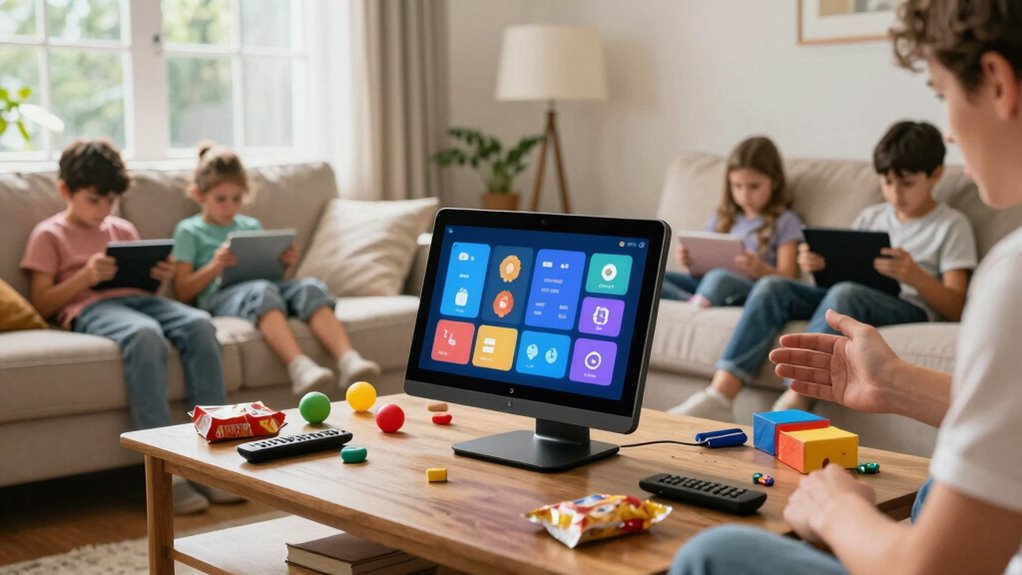

The biggest mistake you make when shopping for smart displays for families is focusing too much on features like screen size, camera quality, or smart home controls, and ignoring privacy. Voice recognition technology constantly listens, stores, and shares your data, often without clear consent or control. This oversight can put your family’s privacy at risk. If you want to protect your data and understand your options, keep exploring how to make smarter, safer choices.
Key Takeaways
- Overlooking privacy settings and assuming devices only listen when prompted.
- Prioritizing features like screen size and camera over voice recognition and privacy controls.
- Failing to research how voice data is stored, shared, or deleted before purchasing.
- Ignoring transparency in privacy policies and data management practices of manufacturers.
- Not asking about options to disable voice recognition or delete stored recordings.

Smart displays have become a popular addition to many households, offering convenience and connectivity for families. These devices can help you keep track of schedules, play music, control smart home gadgets, and even entertain your kids. But as you shop for one, it’s easy to fall into a common mistake that could impact your experience and your privacy: overlooking the importance of voice recognition and privacy concerns.
Many people focus on features like screen size, camera quality, or integrated apps without giving enough thought to how the device recognizes your voice. Voice recognition technology makes these displays responsive and user-friendly, allowing you to simply speak commands instead of typing or tapping. However, this convenience comes with privacy implications. Devices with voice recognition capabilities are constantly listening for wake words or commands, which means they’re always in a listening mode, even when you’re not actively using them. That raises a big concern: how securely is your voice data stored and managed? Do you understand what recordings are kept, and who has access to them? Many shoppers overlook these questions, assuming that the device only listens when prompted. But in reality, voice data can be stored, analyzed, and potentially shared with third parties, raising privacy risks that you shouldn’t ignore.
The biggest mistake is not researching how well the device protects your privacy and what options you have to manage voice data. Some smart displays offer settings to delete voice recordings, disable voice recognition entirely, or control what data is stored. Failing to explore these options means you might end up with a device that listens more than you’re comfortable with, or that shares your voice data with companies you didn’t intend to trust. Privacy concerns aren’t just about hacking or data breaches; they’re also about how much control you have over your personal information. If you buy a smart display without understanding these aspects, you might find yourself using the device in ways that compromise your privacy without even realizing it. Additionally, understanding voice data management options can help you make more informed decisions about your privacy settings, as some manufacturers are now providing more transparency about data practices, which is a crucial factor to consider before making a purchase. Being aware of the privacy policies can also help you understand how your data is handled and whether the manufacturer complies with data protection standards.
Furthermore, many manufacturers are becoming more transparent about their data handling practices, which is a crucial factor to consider before making a purchase. In the end, the key is to prioritize privacy and understand the voice recognition features before making a purchase. Ask questions: Does the device offer voice data management? Can you turn off voice recognition? How transparent is the company about data handling? By doing your homework, you’ll ensure your smart display enhances your family’s life without exposing you to unnecessary privacy risks. Remember, convenience shouldn’t come at the expense of your privacy.

SONOFF NSPanel Pro 120 Smart Control Panel
【All in One Control Panel With】 Enjoy a larger view with the 4.7-inch display that Control your home…
As an affiliate, we earn on qualifying purchases.
As an affiliate, we earn on qualifying purchases.
Frequently Asked Questions
Are Smart Displays Safe for Young Children?
Smart displays can be safe for young children if you prioritize child safety and set up parental controls. You should disable features that aren’t age-appropriate and restrict access to certain apps or content. Regularly monitor your child’s interactions and updates. By actively managing these controls, you guarantee a safer experience, giving you peace of mind while your child benefits from the educational and entertainment features smart displays offer.
How Do I Set up Multiple Users on a Smart Display?
To set up multiple users on your smart display, first create individual user profiles in the device’s settings. Enable voice recognition so the device can identify each person by their voice. Then, link each profile to their preferred accounts, like streaming or calendars. This way, everyone gets personalized responses and content. Make certain voice recognition is calibrated for each user to guarantee accurate identification and a seamless experience.
Can Smart Displays Control All Smart Home Devices?
Yes, smart displays can control many smart home devices, but it depends on their compatibility and voice recognition capabilities. You can link compatible devices through the app, allowing voice commands to control lights, thermostats, and more. However, be mindful of privacy concerns, as voice recognition features constantly listen for commands. Adjust privacy settings to limit data sharing and guarantee your smart display respects your privacy while managing your smart home.
What Is the Warranty Coverage for Smart Displays?
Warranty coverage for smart displays varies, but you should always check for warranty limitations before buying. It typically covers hardware defects and malfunctions, but privacy concerns might not be included. You want to make certain your device is protected, but remember that warranty limitations may exclude certain issues. So, prioritize understanding what’s covered and what isn’t, especially regarding privacy concerns, to avoid surprises if something goes wrong with your smart display.
Do Smart Displays Work Well With Non-Smart Devices?
Smart displays can work with non-smart devices, but voice recognition features may vary. They often connect through Bluetooth or auxiliary cables, allowing you to control or play audio on non-smart gadgets. However, privacy concerns might arise since these devices listen for commands constantly. To guarantee seamless integration and privacy, check compatibility details and adjust voice recognition settings accordingly, so you control what’s connected and shared.

Amazon Echo Hub (newest model), 8", Redesigned with customizable control and Alexa+, Compatible with thousands of devices
Echo Hub — An easy-to-use smart home control panel redesigned for your home. Arrange controls on your dashboard…
As an affiliate, we earn on qualifying purchases.
As an affiliate, we earn on qualifying purchases.
Conclusion
Don’t let a simple mistake turn your smart display into a household disaster! Avoid rushing into a purchase without considering your family’s specific needs, or you might end up with a device that’s as useless as a screen door on a submarine. Take your time, do your research, and choose wisely. The right smart display can revolutionize your home life—make sure you don’t settle for less and miss out on the true magic it can bring!
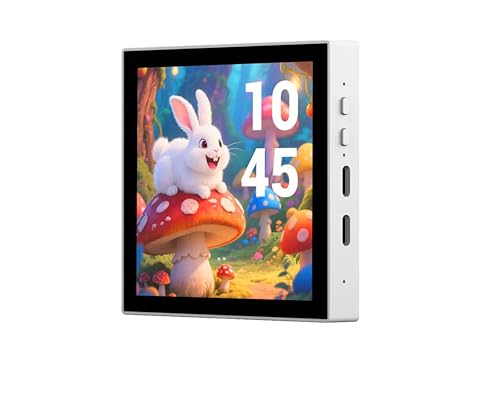
ESP32-P4 Smart 86 Box Development Board, ESP32-P4 Chip Onboard 4inch IPS 720 x720 Pixel Touch Display, Enable Smart Living & Industrial IoT, Supports AI Voice Interaction (Support External Camera)
This is ESP32-P4 Smart 86 Box, Based On ESP32-P4 Module, Onboard 4inch Touch Display. Supports Secondary Development. Enable…
As an affiliate, we earn on qualifying purchases.
As an affiliate, we earn on qualifying purchases.

DESLOC C110 Keyless Entry Door Lock with Handle Set&Display (Smart Screen), Fingerprint Door Locks, Keypad Deadbolt, Auto-Lock, Backlit Keys, Passage Mode, IP54 Waterproof
𝐕𝐢𝐬𝐢𝐛𝐥𝐞 𝐃𝐢𝐬𝐩𝐥𝐚𝐲: Manage settings, create passcodes, add users, and view system alerts directly on the built-in LockVue display….
As an affiliate, we earn on qualifying purchases.
As an affiliate, we earn on qualifying purchases.