
TL;DR
Building your own AI workstation used to save money, but supply chain issues and bulk discounts have shifted the landscape. Now, the choice depends on your time, expertise, and workload, not just cost. Prebuilts offer validated thermals and support, but DIY provides customization and control.
Ever feel like you’re stuck choosing between the thrill of building your own AI machine and the safety net of a prebuilt system? Well, in 2026, that choice has become more complex than ever. Supply chain shocks and bulk buying have driven prices for components sky-high, making DIY no longer the guaranteed cheaper route.
Instead, the real question is whether you want to pull the levers yourself—tuning fans, undervolting GPUs, optimizing airflow—or pay a premium for a system validated for long, heavy workloads with robust support. This isn’t just about saving a few hundred dollars anymore. It’s about risk, control, and workload type.
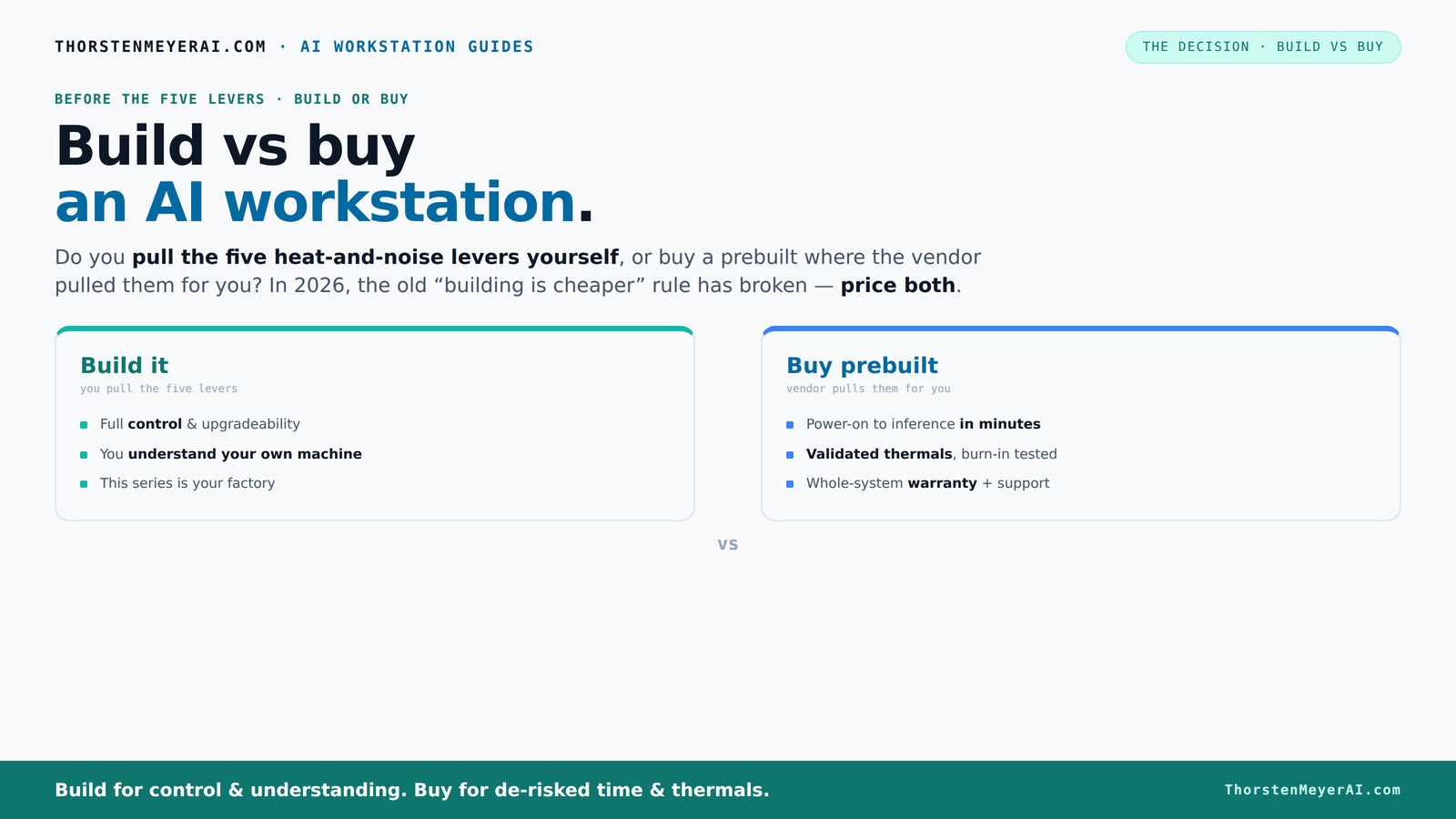
Build vs buy
an AI workstation.
The real question behind this whole series: do you pull the five heat-and-noise levers yourself, or buy a prebuilt where the vendor pulled them for you? And in 2026, the old “building is cheaper” rule has broken. Match your situation in Part 3.
Key Takeaways
- In 2026, the cost gap between building and buying an AI workstation has narrowed, making price less decisive.
- Prebuilt systems validate thermals and include support, reducing setup time and risk of hardware issues.
- Building offers maximum control, customization, and upgradeability but demands time, skills, and troubleshooting patience.
- Choose based on workload—single-GPU inference favors prebuilts, while multi-GPU training might justify building your own.
- Always compare total costs—hidden expenses like troubleshooting, shipping, and time can flip the decision.

WIWB Gaming PC Desktop Core I9-14900HX, RTX 5060 Ti 8G, 1TB NVME SSD
- Powerful Processor: Intel Core i9-14900HX with 24 Cores
- High-Performance Graphics: GeForce RTX 5060 Ti 8GB GDDR7
- Fast Memory & Storage: 16GB DDR5 RAM, 1TB NVMe SSD
As an affiliate, we earn on qualifying purchases.
As an affiliate, we earn on qualifying purchases.
Why the old rule of 'build cheaper' no longer applies in 2026
Building a PC used to be a clear win for your wallet. But today, component shortages and skyrocketing prices for GPUs, RAM, and SSDs have changed that. A machine that cost $1,200 in 2024 now often pushes over $1,500 or more, especially if you want multiple GPUs or high-end cooling.
Big OEMs and system integrators bought parts in bulk before prices soared, giving them a price edge that’s tough to beat. So, it’s no longer safe to assume DIY is cheaper — you really need to compare prices for your specific setup now.
For example, a high-end GPU like the RTX 4090, once around $1,500, can now be over $2,000 due to shortages. When you add in custom cooling and a quality power supply, your build can match or even exceed prebuilt prices.
As an affiliate, we earn on qualifying purchases.
Who wins when you pull the five levers of thermal tuning?
High-performance AI workstations are basically heat furnaces. Managing heat and noise means pulling five levers: undervolting GPUs, matching cooling solutions, optimizing airflow, tuning fans, and placing the system just right.
If you buy a prebuilt, the vendor handles these levers. Companies like Lambda or BIZON validate thermal performance and often include water-cooling setups that keep noise down and temperatures stable during long training runs. For example, BIZON claims systems with up to 30% lower noise and better thermal stability, validated through rigorous testing.
Build your own, and you’re the one pulling these levers. You choose a quiet GPU, an efficient cooler, and set up airflow, but that takes time, knowledge, and patience. You get a finely tuned machine, but it’s on you to keep it running smoothly.
As an affiliate, we earn on qualifying purchases.
When does buying prebuilt make sense in 2026?
If your priority is plug-and-play, fast deployment, and reliable performance, then a prebuilt is often worth the extra cost. These systems come with the OS, drivers, and AI frameworks preinstalled—ready to run inference or training in minutes.
Support matters too. A reputable vendor validates thermals, tests for stability, and offers warranty support—something that can save you days or weeks troubleshooting hardware and software issues if you build yourself.
For multi-GPU setups or high-end configurations, prebuilts like those from Lambda or Puget Systems handle the complex cooling and power delivery, reducing your risk of thermal throttling or hardware failures.
As an affiliate, we earn on qualifying purchases.
When does building your own AI rig make the most sense?
If you love tinkering, have time, or need a very specific setup, DIY remains compelling. It’s often cheaper if you already own some parts, or if you want to customize VRAM, cooling, or expandability beyond what prebuilt offers.
For example, a hobbyist wanting a machine just for inference with a single GPU might swap in a quieter cooler or undervolt the GPU for near-silent operation. The control over every component means you can tailor the system for your workload and noise preferences.
However, remember that this requires patience, technical skill, and a willingness to troubleshoot. Plus, one misstep can lead to compatibility issues or thermal problems—risks you should weigh carefully.
Comparison table: build vs buy key factors in 2026
| Factor | Build | Buy (Prebuilt) |
|---|---|---|
| Cost | Often cheaper, but rising prices and labor can close the gap | Usually more expensive upfront, but includes support and validation |
| Time to deployment | Longer—assembly, setup, troubleshooting | Minutes to hours—ready to run |
| Control | Full control over components, cooling, and upgrades | Limited customization, but optimized for workloads |
| Support & warranty | Self-managed, parts RMA, variable quality | Single point, validated, warranty included |
| Thermal management | On you; depends on your skills | Validated at factory, often quieter and cooler |
| Upgradeability | High—swap parts easily | Limited by preconfigured design |
Hidden costs and risks you need to watch out for
Building your own might seem cheaper, but it’s not without pitfalls. Shipping costs, troubleshooting hours, and the risk of buying incompatible parts can add up. Plus, if something fails, you’re on your own with RMA or repairs.
Prebuilts bundle validation, testing, and a warranty. They reduce the chance of thermal issues, hardware failures, or driver conflicts—saving you time and stress. But they might limit your customization options or come with a markup.
For example, a DIY system might save $200 on parts, but if you spend 10 hours troubleshooting and end up replacing a faulty GPU, the real cost skyrockets. Conversely, a prebuilt might cost 15% more but save you days of headaches.
Understanding these hidden costs is crucial because they can significantly impact your overall investment. DIY might look cheaper initially, but the time, effort, and potential hardware failures can negate those savings. Prebuilts, with their validated systems and support, often end up being more cost-effective in the long run by reducing downtime and troubleshooting efforts.
How to choose the right option for your workload
Think about what kind of AI work you’re doing. Light inference or testing? A single GPU setup might do fine with a prebuilt. Need multi-GPU training or custom setups? Building your own lets you tailor everything to your workload.
Assess your skills and time commitment. If you enjoy hardware tinkering and have the hours, DIY can be rewarding. If you want to deploy fast and focus on your AI models, a prebuilt might be smarter.
Review your budget, support needs, and upgrade plans. Use trusted vendors like Lambda or Puget for high-end systems, and consider the Mac Studio for certain workloads.
Your checklist before buying or building an AI workstation
- Define your workload: inference, training, multi-GPU, or all?
- Set your budget, including hidden costs like time and troubleshooting.
- Research component prices and prebuilt options for your specs.
- Consider thermal needs: noise levels, cooling, airflow.
- Assess your technical skills for building or troubleshooting.
- Choose a trusted vendor or assemble your parts list.
- Plan for future upgrades—how expandable does your system need to be?
- Check warranty and support options.
Frequently Asked Questions
Is a prebuilt AI workstation worth it in 2026?
Yes, especially if you value quick setup, validated thermals, and warranty support. Prebuilts reduce the risk of compatibility issues and save you troubleshooting time, making them a smart choice for most users in 2026.
Is building your own AI workstation still cheaper in 2026?
Not always. Supply chain shortages and bulk buying have narrowed or even reversed the cost advantage of DIY. Always compare prices for your specific configuration before deciding.
What do I gain by buying prebuilt besides convenience?
Prebuilts come with validated thermal management, preinstalled software, and a warranty. They minimize setup time and reduce the risk of hardware or driver issues during critical workloads.
Can I upgrade a prebuilt later?
Often yes, but it depends on the design. Some prebuilts are highly modular, but others might restrict upgrades due to proprietary parts or limited space. Check vendor specs before purchasing.
How many GPUs should I get for AI work?
It depends on your workload. Light inference might only need a single GPU, while training large models can require 4 or more. Consider your motherboard, power supply, and cooling when planning multi-GPU setups.
Conclusion
In the end, your choice depends on what you value most: control and customization or speed and support. If you’re eager to tinker and want a tailored machine, building still makes sense. But if you need reliability and quick deployment, a prebuilt can save you days—and headaches.
2026’s market shifts mean you should treat build vs buy as a tailored decision, not a rule. Whichever path you choose, remember: the best AI workstation is the one that gets you working faster, smarter, and better.